
From time to time Lenovo sends me computers for testing and evaluation and I run them through their paces and compare them to various past versions. This computer is one of those examples. This is a cleansheet design for 2023, meaning they have redesigned the chassis for this generation.
The following image shows the differences between the Gen 3 and the Gen 4 units.

Other changes are listed here:
- Black color is a deeper black vs previous charcoal-like black color. Storm Grey is aluminum option
- Opening weight dropped from 2.65 to 2.41lbs
- Increased amount of recycled metals and post-consumer content plastics throughout the device
- Highest end panel is now 2.8k OLED
- New Communication Bar design at the top of display panel
- 5MP camera offering
This machine has the following specs:
13th Gen Intel(R) Core(TM) i7-1370P 1.90 GHz
Windows 11 Pro
16.0 GB RAM LPDDR5-4800 Soldered
2 TB M.2 PCIe NVMe SSD
Camera: 5.0 MP + IR Discrete, with privacy shutter, fixed focus.
Integrated Li-Polymer 54.7Wh battery, supports Rapid Charge (charge up to 80% in 1hr) with 65W AC adapter
Display: WUXGA (1920×1200) Multi-touch Anti-Glare
Material used in manufacturing and packaging:
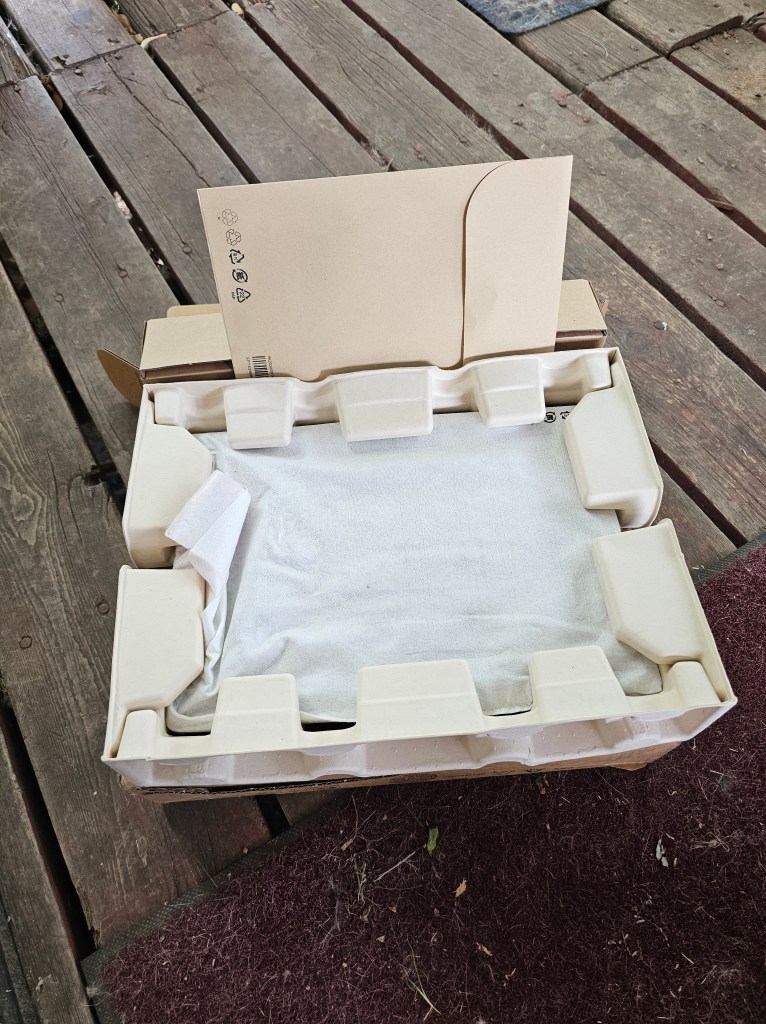
50% recycled aluminium on storm grey top cover 50% recycled aluminium or 90% recycled magnesium on keyboard cover 55% recycled aluminium on bottom cover 90% PCC recycled plastic used in speaker enclosure 90% PCC recycled plastic used in the battery enclosure 90% PCC recycled plastic used in standard 45W and 65W adapters Low-temperature solder Retail or standard packaging: plastic free packaging with 100% bamboo sugarcane fiber
The speakers have been changed from the top of the keyboard to the left and right side of the keyboard.

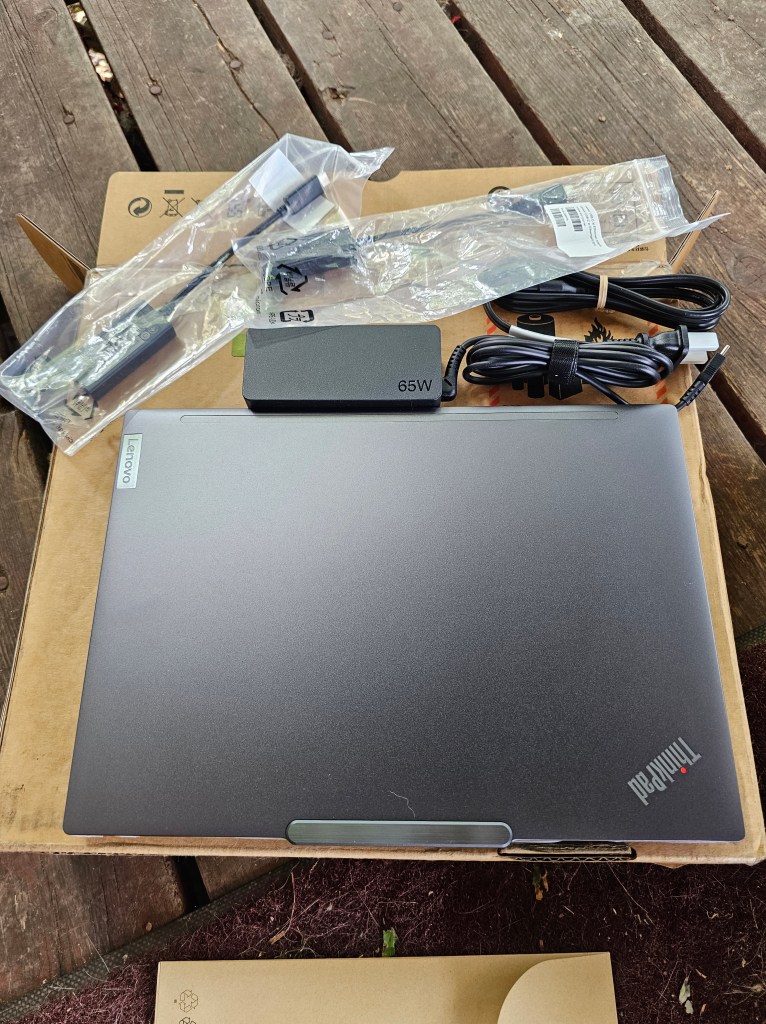
What came in the box:
65 Watt AC Adapter
USB-C to Ethernet adapter
HDMI to VGA Video Display adapter
These items were what came with mine, they might or might not be included in a purchase.
Another change worth noting is that the rear bottom support now reaches all the way from left to right instead of the past being only left and right rubber feet.

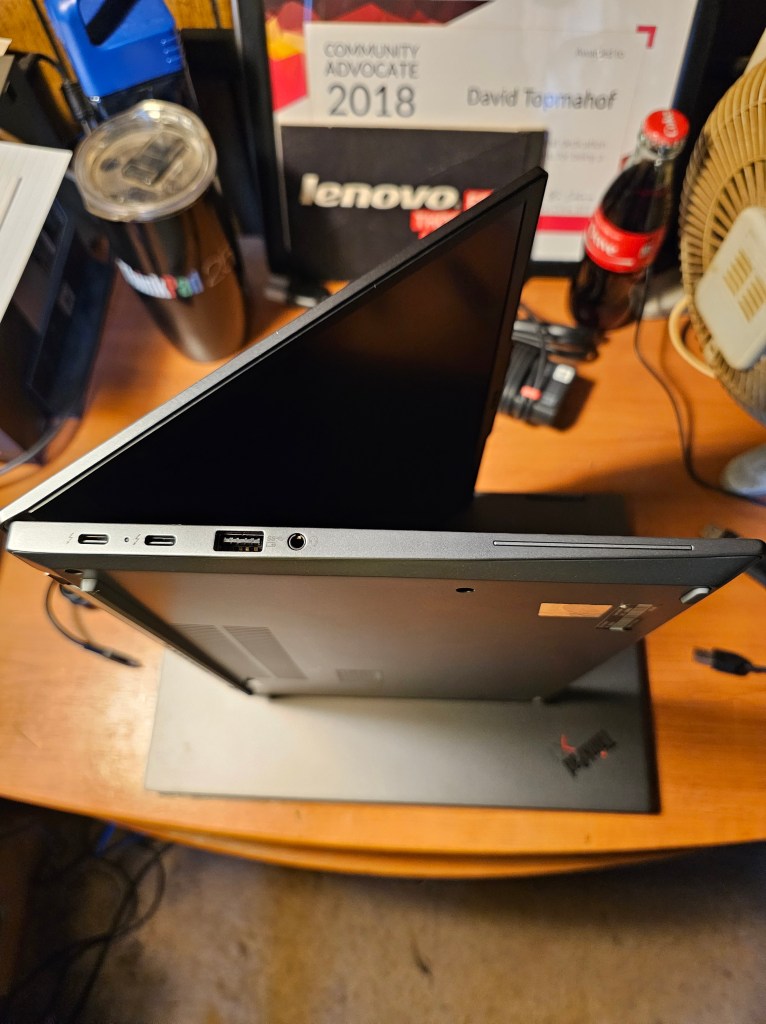
The ports on the left include:
Thunderbolt 4
Thunderbolt 4
USB 3.2 Gen 1 (Always On)
Headphone/microphone combo jack (3.5 mm)
Smart card reader
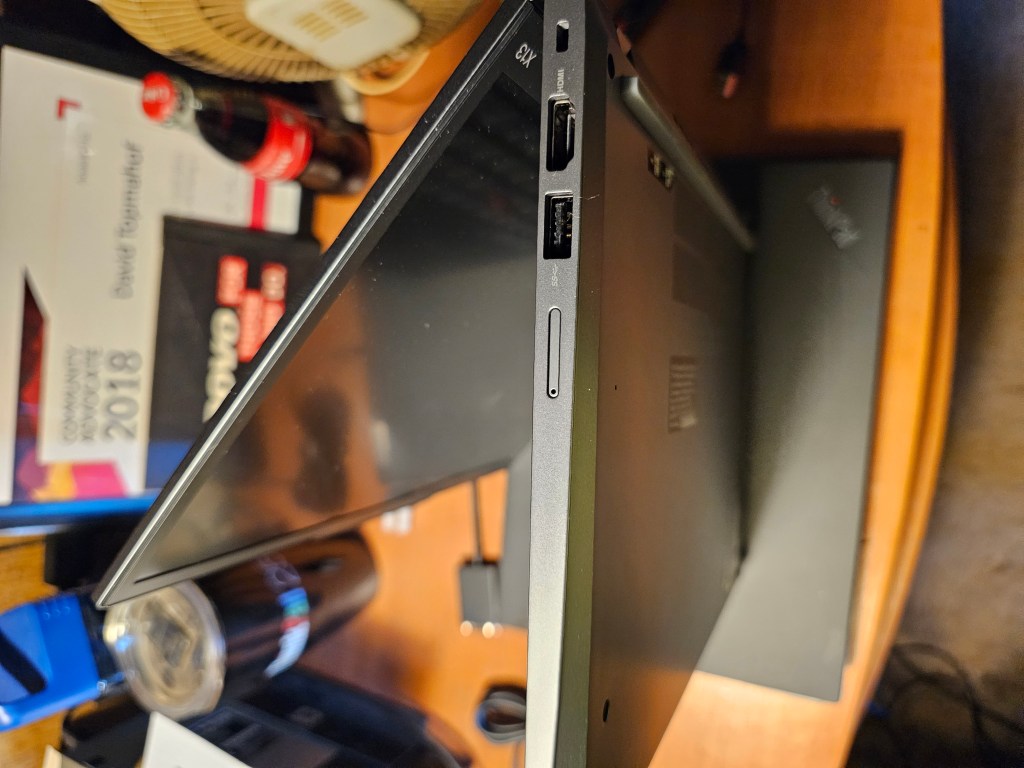
The ports on the right are:
Kensington Nano Security Slot
HDMI
USB 3.2 Gen 1
Nano-SIM card slot
Monitor Support
Supports up to 4 independent displays (native display and 3 external monitors via Thunderbolt and HDMI) • Thunderbolt supports up to 5K@60Hz • HDMI supports up to 4K@60Hz
Dimensions (WxDxH)[1]
301.7 x 214.8 x 15.95 mm (11.88 x 8.46 x 0.63 inches)
Weight[2]
| Models | Weight |
|---|---|
| Models with deep black CFRP top cover | Starting at 1.12 kg (2.47 lbs) |
| Models with deep black carbon fiber hybrid top cover | Starting at 1.09 kg (2.41 lbs) |
| Models with storm grey top cover | Starting at 1.25 kg (2.76 lbs) |
Case Color**
- Deep black
- Storm grey
Case Material**
- Deep black models: carbon fiber hybrid or CFRP (top), aluminium (bottom)
- Storm grey models: aluminium (top), aluminium (bottom)
Network
Ethernet
No onboard Ethernet[1]
WLAN + Bluetooth[1]
Intel Wi-Fi 6E AX211, 802.11ax 2×2 Wi-Fi + Bluetooth 5.1[3]
WWAN**
- Wireless WAN upgradable to 4G (with antenna ready)[4]
- Fibocom FM350-GL, 5G Sub-6 GHz, M.2 Card, with embedded eSIM functionality
- Fibocom L860-GL-16, 4G LTE CAT16, M.2 card, with embedded eSIM functionality
- Quectel EM05-G, 4G LTE CAT4, M.2 card, with embedded eSIM functionality
Here is a link to the User Guide:
These are some stats while it is running:

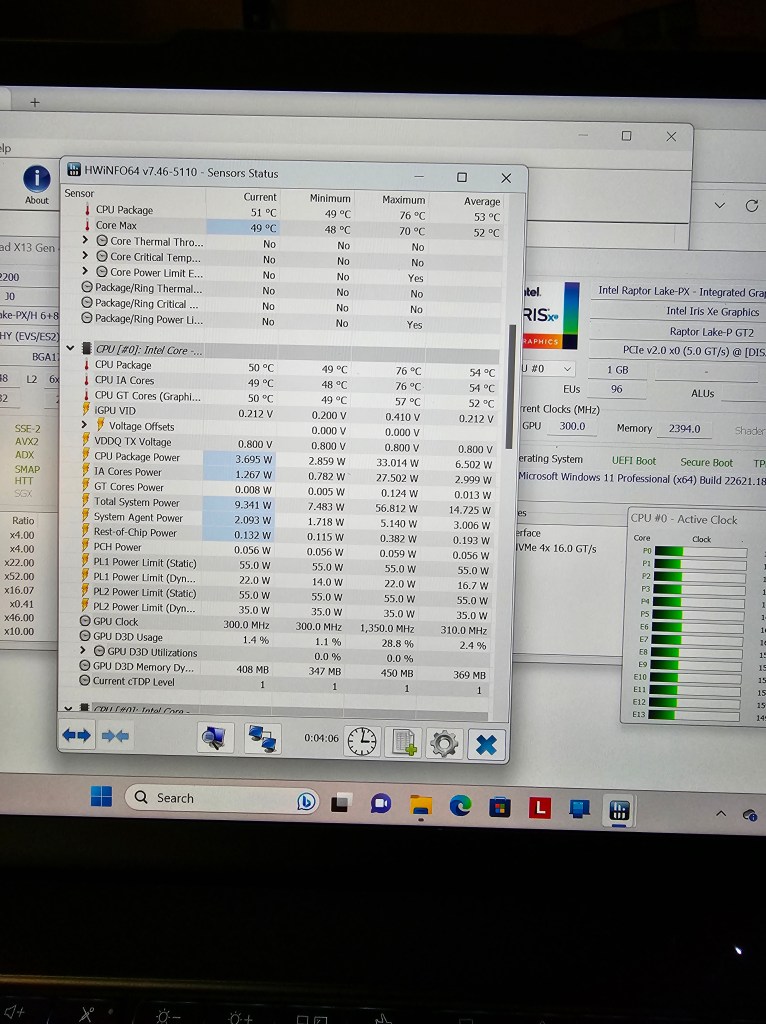


All in all, I believe that the changes made were all for the better. This machine runs smooth, cool, and flawless in this configuration.
 Topmahof's Blog