Unknown's avatar

About topmahof

I'm a hands on guy. I'm comfortable taking a laptop apart and putting it back together. I'm a Community Moderator at Lenovo Forums and a Lenovo Insider. I have my own business repairing Hot Tubs and I also work a full time job at Central PA Concrete Leveling. I love playing with new Tech.

Lenovo X13 Gen5 First Look and Review

From time to time Lenovo sends me computers for testing and evaluation and I run them through their paces and compare them to various past versions. This computer is one of those examples.

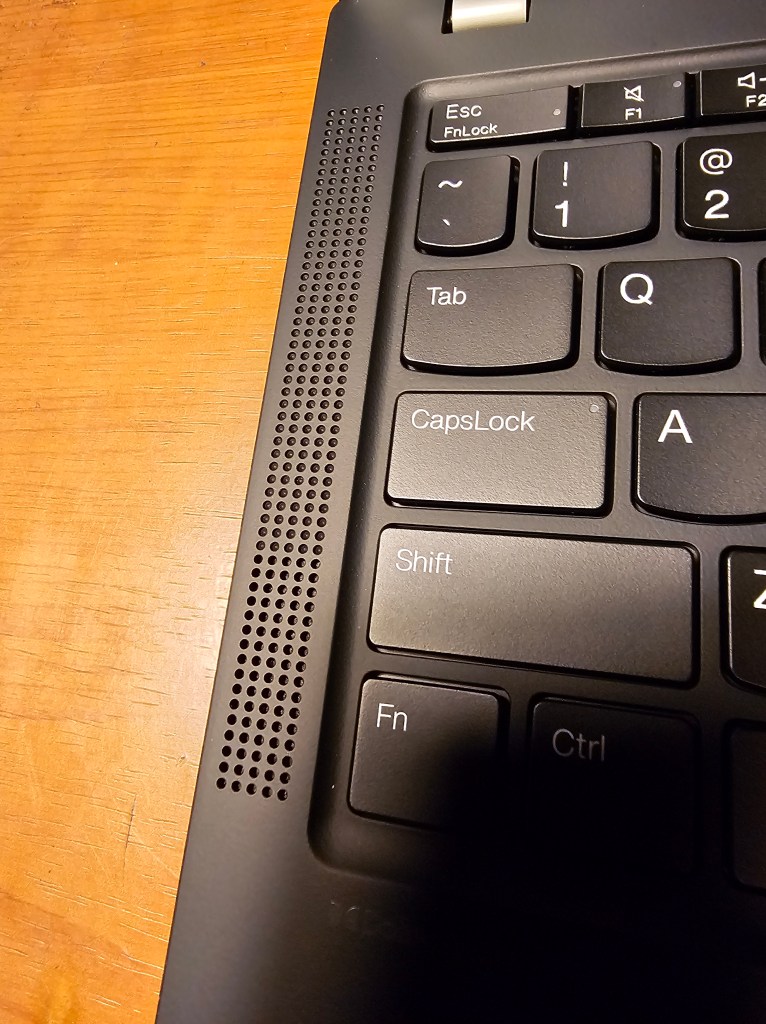
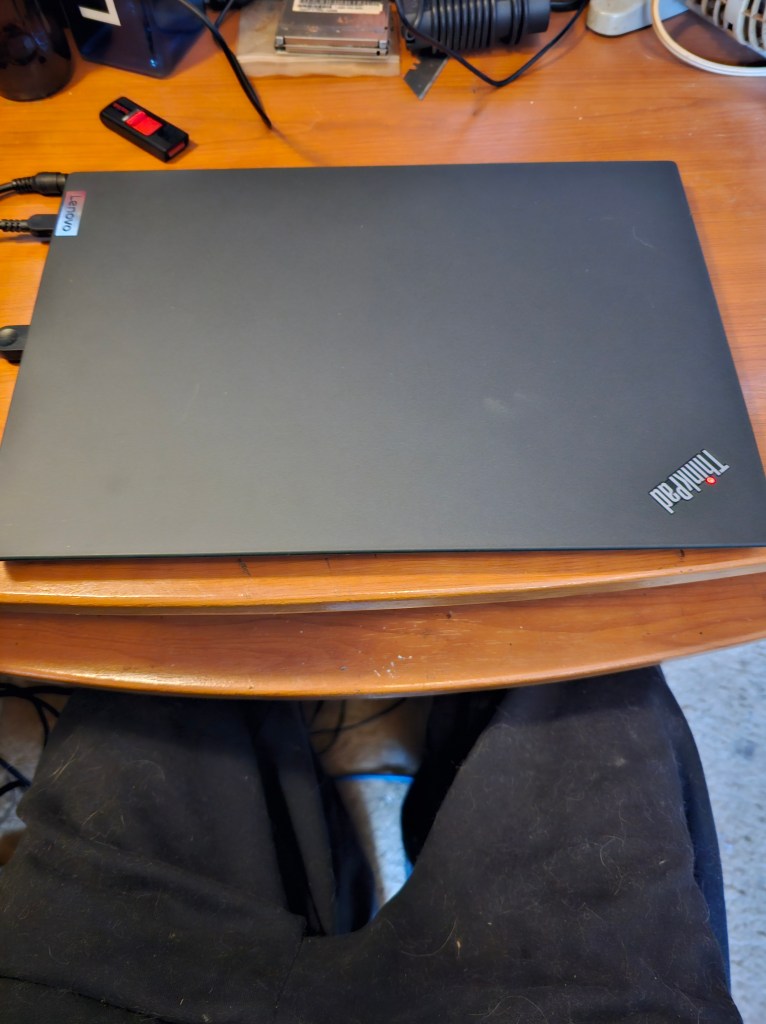
The new Lenovo ThinkPad X13 Gen 5 replaces the ThinkPad X13 Gen4. While it is a simple update without any design changes (meaning the FN/Ctrl key swap does not happen here), there are a few interesting changes of note. this new model features Intel CPUs. Intel Meteor Lake, also known as Core Ultra. Both Core Ultra U and Core Ultra H are going to be available, which means that the new model can contain the Intel ARC GPU. Notably, the new X13 G5 is called just that, X13 Gen 5. Progress compared to the previous version can be found in the RAM department. While the memory is still soldered, the 8 GB option has been cancelled. Memory size now starts at 16 GB and 64 GB configurations will be available. This machine came with 64 GB.The 2.8K OLED screen option featured on the X13 G4 is no longer available, which means the X13 Gen 5 is limited to a WUXGA screen resolution. The X13 Gen 5 gains WiFi 7 as a new option. The rest of the system appears to be identical to the Lenovo ThinkPad X13 G4.

Here is the PSREF of the computer showing all the different specs of the Models:

https://psref.lenovo.com/Product/ThinkPad_X13_Gen_5

This is a comparison of Specs. between the X13 G4 and the new X13 G5.

AttributeX13 G4 Intel(Cleansheet 2023)X13 G5 Intel(Refresh 2024)
Dimension (mm/in)hybrid CF deep black A: 301.7 x 214.8 x 15.95​CFRP deep black A: 301.7 x 214.8 x TBD​aluminum storm grey A: 301.7 x 214.8 x TBD​hybrid CF eclipse black A: 301.7 x 214.8 x 15.95​CFRP eclipse black A: 301.7 x 214.8 x 15.95​
S / T / B Bezel Size (mm)7.21 / 10.6 / 13.71​7.21 / 10.6 / 13.71​
Screen Size & Ratio13.3”, 16:10, 83.9%​13.3”, 16:10, 83.9%​
Starting Weight (lbs/kg)non touch 2.51lbs / 1.14kg (CFRP deep black + OLED + 41WHr)​  non touch 2.84lbs / 1.29kg (aluminum storm grey + OLED + 41WHr)​non touch 2.51lbs / xxxkg (Hybrid CF black + 41WHr)​
Color/Materialdeep black CFRP A, hybrid CF A, 90% recycled magnesium C, 50% recycled aluminum D ​storm grey WLAN 50% recycled aluminum A/C, 50% recycled aluminum D; ​storm grey WWAN 50% recycled aluminum A, 90% recycled magnesium C, 55% recycled aluminum D​deep black CFRP A, hybrid CF A, 90% recycled magnesium C, 50% recycled aluminum D ​
Resolutions/Color GamutWUXGA (1920×1200) IPS AG (300nit, 100% sRGB)​WUXGA (1920×1200) IPS OCT touch AG (300nit, 100% sRGB)​WUXGA (1920×1200) LP IPS AG (400nit, 100%sRGB, Eyesafe)​2.8K (2880×1800) OLED AGARAS (400nit, 100% DCI-P3, Dolby Vision, Eyesafe, HDR True Black 500, 90Hz)​WUXGA (1920×1200) IPS AG (300nit, 100% sRGB)​WUXGA (1920×1200) IPS OCT touch AG (300nit, 100% sRGB)​WUXGA (1920×1200) LP IPS AG (400nit, 100%sRGB, Eyesafe)​
SoCIntel Core RPL P28 21W + U15 15.5W​Intel Core Ultra (5/7) MTL H 21W + U15 15.5W
GraphicsIntel integrated Iris Xe​Intel ARC Graphics and intel integrated Graphics
MemoryLPDDR5 8G, 16G, 32G-4800MHz soldered down (dual channel)​LPDDR5x 16G, 32G, 64G 5600MHz soldered down (dual channel)​
Storageup to 2TB PCIe Gen4x4 SSD (2280)​up to 2TB PCIe Gen4x4 SSD (2280)​
Battery up to 97% PCC 41Whr, 54.7Whr; up to 95% PCC 45W,65W USB-C​ up to 90% PCC 41Whr, 54.7Whr; up to 90% PCC 45W,65W USB-C​
OSWin11 DG, Win11 Pro, Linux​Win11 DG, Win11 Pro, Linux​
Input Deviceup to 85% PCC ThinkPad TrackPoint Keyboard (1.5mm travel), glass-like Three Button Clickpad​up to 85% PCC ThinkPad TrackPoint Keyboard (1.5mm travel), glass-like Three Button ClickPad, TrackPoint QuickMenu
DockingTBT4, USB-C​TBT4, USB-C​
Ports2x USB-A 3.2 G1, 2 x USB-C(TBT4), Audio, HDMI 2.0b, SIM​2x USB-A 3.2 G1, 2 x USB-C(TBT4), Audio, HDMI 2.1, SIM​
Audiouser facing Dolby Audio Premium, Dolby Voice, 95% PCC 2 speakers, 2 mics​user facing Dolby Audio Premium, Dolby Voice, 90% PCC 2 speakers, 2 mics​
CameraHD RGB, FHD RGB, 5MP + IR w/ webcam privacy shutter​5MP RGB, 5MP + IR w/ webcam privacy shutter​
ConnectivityWi-Fi 6E, 4G LTE CAT4 (black), CAT16 (black), 5G sub6 eSIM (black), NFC (black), BT 5.2​Wi-Fi 6E, Wi-Fi 7, Wi-Fi 6E, 4G LTE CAT4 PRC (black), 4G LTE CAT6 (black), 5G sub6 eSIM (black), NFC (black), BT 5.3​
Biometric / SecurityFPR in PWR, IR Cam, SCR, Privacy Shutter, dTPM, Nano lock, ThinkShield, Firmware Shield​FPR in PWR, IR Cam, SCR, Privacy Shutter, dTPM, Nano lock, ThinkShield, Firmware Shield​
Additional FeaturesUltrasonic HPD, Intel Evo, MIL-SPEC 810H, EPEAT Gold, NIST SP800-193, Secured-Core PC, Glance, recycled packaging​Ultrasonic HPD, Intel Evo, MIL-SPEC 810H, EPEAT Gold, NIST SP800-193, Secured-Core PC, Glance, recycled packaging​
Material used in manufacturing and packaging:
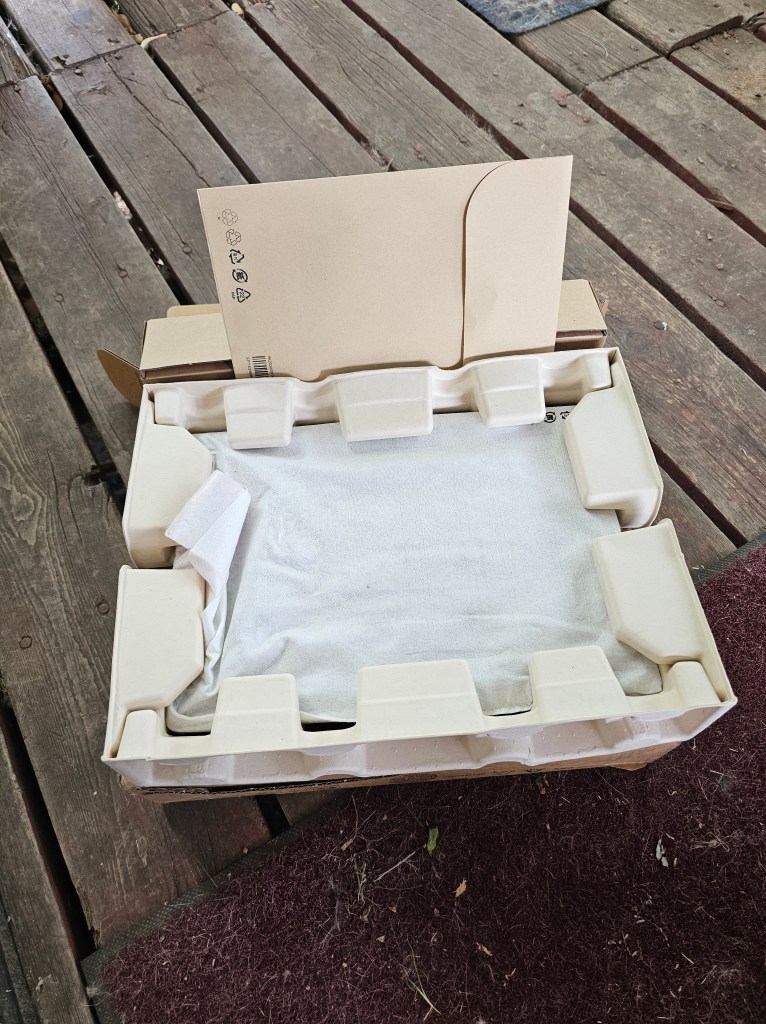
50% recycled aluminium on storm grey top cover 50% recycled aluminium or 90% recycled magnesium on keyboard cover 55% recycled aluminium on bottom cover 90% PCC recycled plastic used in speaker enclosure 90% PCC recycled plastic used in the battery enclosure 90% PCC recycled plastic used in standard 45W and 65W adapters Low-temperature solder Retail or standard packaging: plastic free packaging with 100% bamboo sugarcane fiber

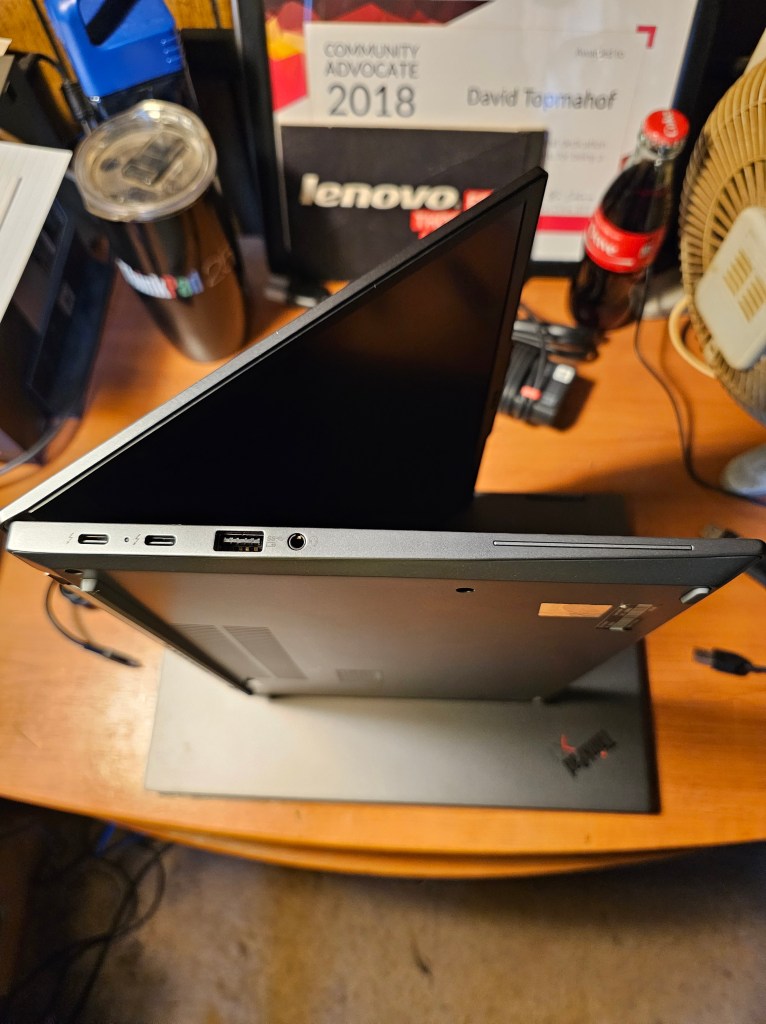
Ports on the left side are:

  • 2 x USB-C Thunderbolt™ 4 (40 Gbps, power in)
  • USB-A 3.2 Gen 1 (always on)
  • Headphone / mic combo
  • Optional: Smart card reader

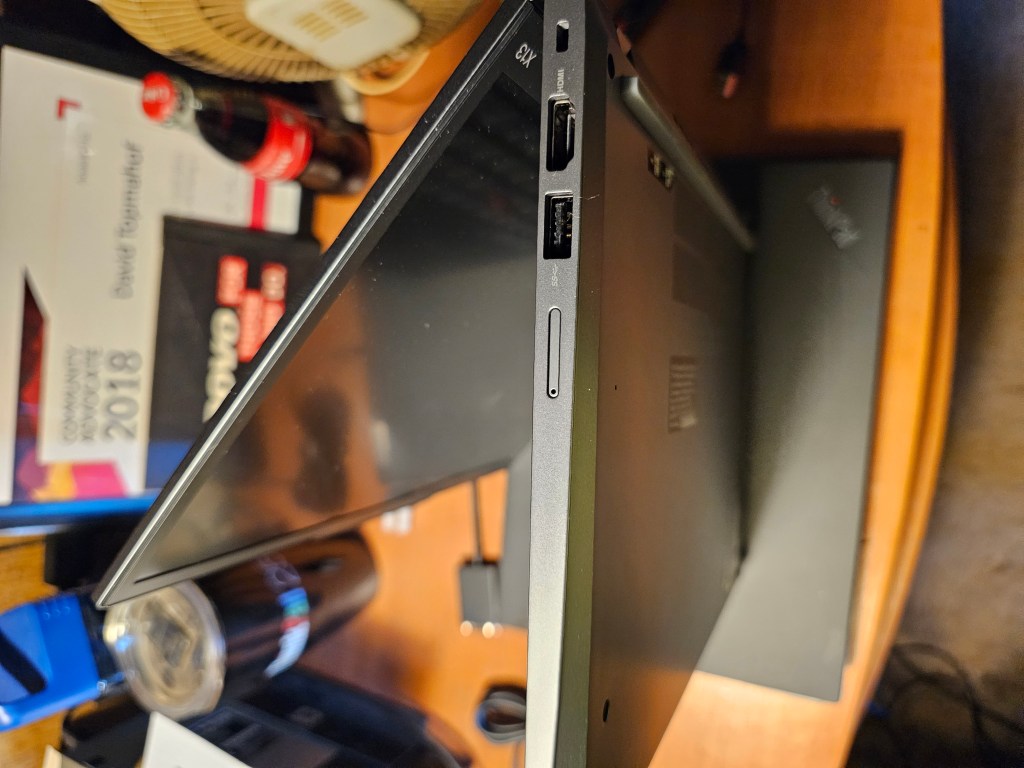
Ports on the right side include:

  • USB-A 3.2 Gen 1
  • HDMI 2.1
  • Kensington Nano Security Slot
  • This can come with an Optional: Nano SIM (WWAN not available in North America)

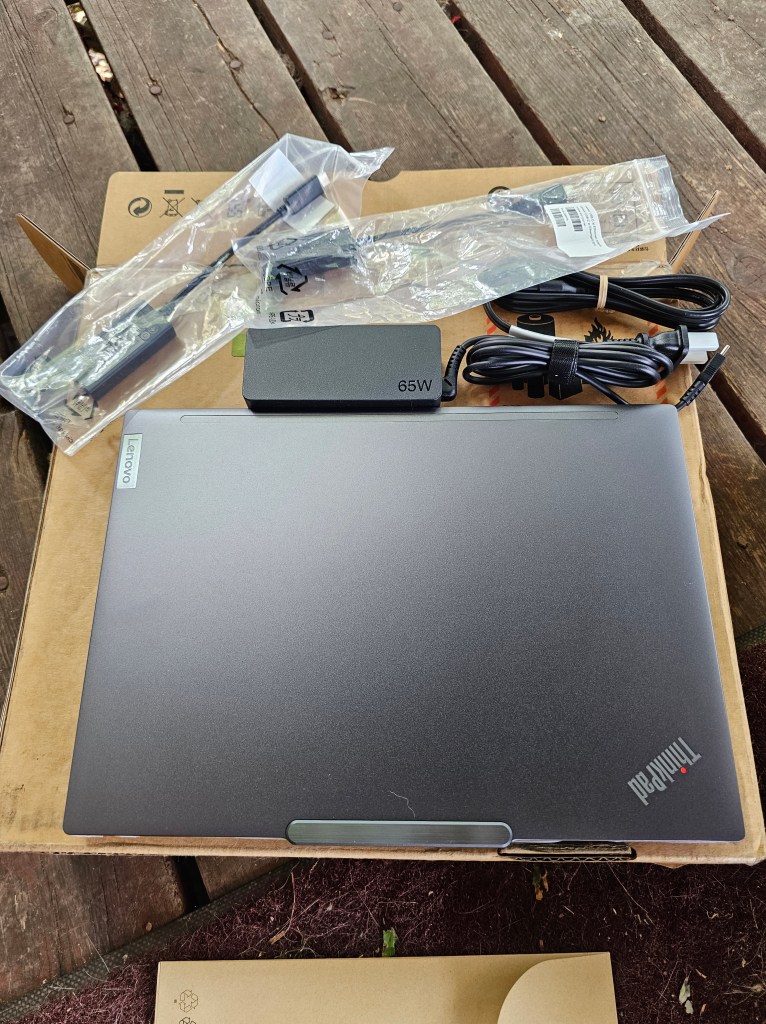
What came in the box, the computer and the 65W AC adapter.

Professional-grade Performance

Powered by Intel® Core™ Ultra processors, the compact 13.3″ Lenovo ThinkPad X13 Gen 5 laptop taps into AI-assisted productivity like never before. Enjoy optimized performance with workloads pushed to dedicated AI engines, including the low-power neural processing unit (NPU) that enables you to do more, unplugged. Choose the Intel vPro® Evo™ Edition, for multilayer security, professional-grade performance, reliable stability, and complete management for IT.

Engineered to Endure

We use the US Department of Defense’s MIL-STD 810H to create a balance of reliability and durability for ThinkPad laptops. Meeting or exceeding 12 standards, 26 procedures, and 200+ quality checks ensure that these devices run in extreme conditions, including harsh variables like Arctic wilderness, desert dust storms, extreme temps, pressure, humidity, vibration, and more.

Tech Specs

Performance

ProcessorIntel® Core™ Ultra 5 125U Processor (E-Core Max 3.60 GHz, P-Core Max 4.30 GHz with Turbo Boost, 12 Cores, 14 Threads, 12 MB Cache)Intel® Core™ Ultra 5 135U Processor with vPro® (E-cores up to 3.60 GHz P-cores up to 4.40 GHz with Turbo Boost, 12 Cores, 14 Threads, 12 MB Cache)Intel® Core™ Ultra 7 155U Processor (E-Core Max 3.80 GHz, P-Core Max 4.80 GHz with Turbo Boost, 12 Cores, 14 Threads, 12 MB Cache)Intel® Core™ Ultra 7 165U Processor with vPro® (E-cores up to 3.80 GHz P-cores up to 4.90 GHz with Turbo Boost, 12 Cores, 14 Threads, 12 MB Cache)
Operating SystemWindows 11 Pro
GraphicsIntel® integrated graphics
Memory16GB LPDDR5X 6400MHz
StorageUp to 1TB PCIe SSD Gen 4 Performance
Battery41Whr or 54.7WhrSupports Rapid Charge (60 minutes = 80% capacity) with 65W or higher adapter
AudioDolby Audio™ Dolby Voice®2 x speakers2 x mics
Camera5MP & infrared (IR) with webcam privacy shutter

Connectivity

Ports/Slots2 x USB-C Thunderbolt™ 4 (40Gpbs, power delivery 3.0 / DisplayPort 2.1)2 x USB-A, 5GbpsHDMI® 2.1 (supports resolution up to 4K@60Hz)Headphone / mic combo
USB port transfer speeds are approximate and depend on many factors, such as processing capability of host/peripheral devices, file attributes, system configuration and operating environments; actual speeds will vary and may be less than expected.
WirelessIntel® Wi-Fi 6E AX211 802.11AX (2 x 2)
Bluetooth® 5.3vPro®: On vPro® Processors

*6GHz WiFi 6E operation is dependent on the support of the operating system, routers/APs/gateways that support WiFi 6E, along with the regional regulatory certifications and spectrum allocation.
Supported DockingThunderbolt™ DockUSB-C Dock

Design

Display13.3” WUXGA (1920 x 1200) 16:10 aspect ratio, IPS, on-cell touchscreen, antiglare, 300 nits, 100% sRGB
13.3” WUXGA (1920 x 1200) 16:10 aspect ratio, IPS, antiglare, 300 nits, 100% sRGB
Dimensions (H x W x D)Starting at 15.95mm x 301.7mm x 214.8mm / 0.61″ x 11.88″ x 8.46″
WeightStarting at 1.13kg / 2.25 lbs
KeyboardOptional: BacklitSpill-resistant (up to 200ml / 6.76oz)Dual-function TrackPoint: navigate cursor or double-tap to open TrackPoint Quick Menu TrackPad: 110mm / 4.33″
ColorBlack

Sustainability

Material90% recycled magnesium on keyboard frame (C)55% recycled magnesium on bottom (D) coverUp to 85% post-consumer content (PCC) recycled plastic used in keycaps90% PCC recycled plastic in speaker enclosure90% PCC recycled plastic in battery enclosureUp to 90% PCC recycled plastic in AC adapter100% recycled and/or sustainable packaging, Forest Steward Council® certified**Packaging composed of recycled, and/or biobased, and/or sustainably forested content.
Certifications / RegistriesENERGY STAR® 8.0EPEAT® Gold, where applicable*Eyesafe® (select models)Forest Stewardship Council® for packagingIntel® Evo™ (select models)MIL-SPEC 810HTCO 9
*Visit www.epeat.net for registration status by country.

Other Information

Thinkshield SecurityDiscrete Trusted Platform Module (dTPM) 2.0Facial recognition login (requires IR camera)Intel vPro® securityKensington Nano Security Slot™Microsoft Secured-core PCsOptional: Power-on Match-on-chip Fingerprint ReaderUltrasonic Human Presence Detection (requires IR camera)Webcam privacy shutter
Preloaded SoftwareIntel® Connectivity Performance SuiteIntel® Unison™Lenovo Commercial VantageLenovo ViewTrackPoint Quick Menu
What’s in the BoxThinkPad X13 Gen 5 (13” Intel)USB-C 65W AC Adapter, supports Rapid ChargeInternal BatteryQuick Start Guide
Other InformationFull spec list for part numbers starting with 21LU available here
*Not all specs available on lenovo.com

Specifications may vary depending on region/model and availability
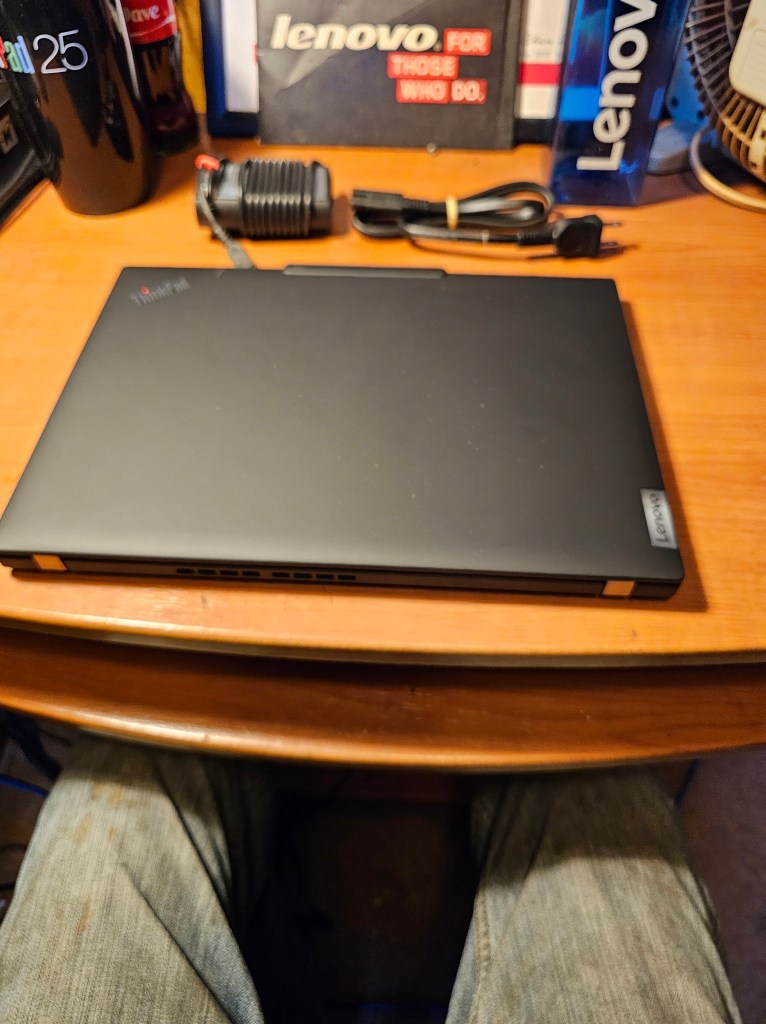
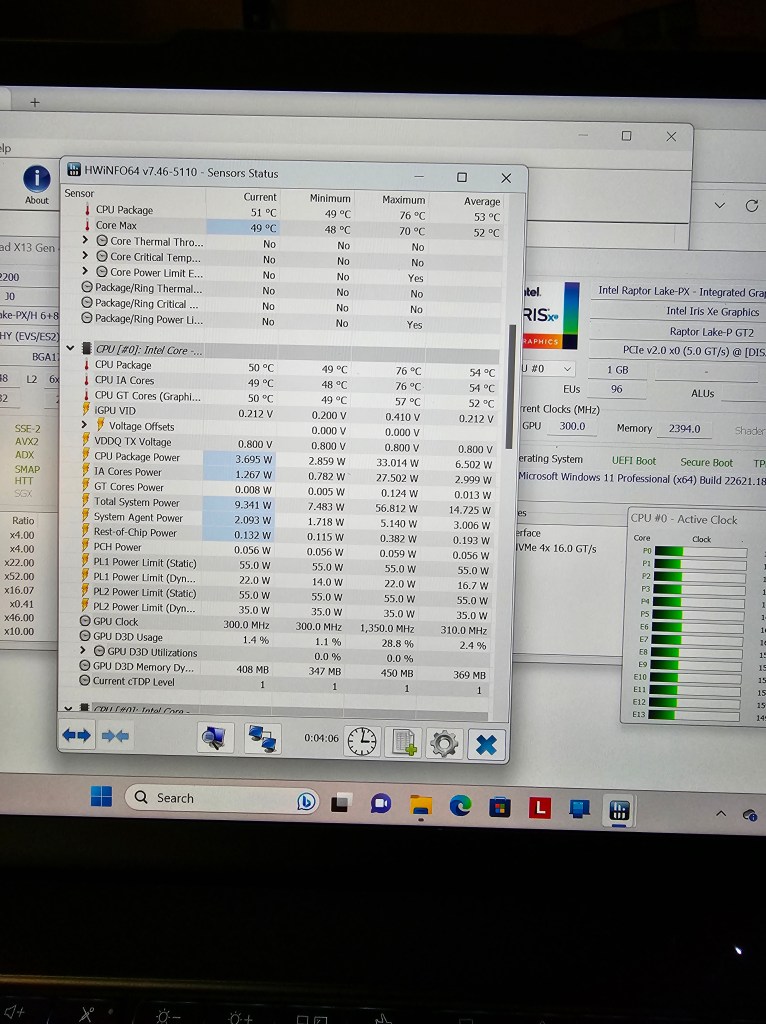
Setup was fast and smooth, no glitches. 64 GB RAM made everything go fast.

All in all, I believe that the changes made were all for the better. This machine runs smooth, cool, and flawless in this configuration.

ThinkPad T14s Gen 2 (14” AMD) Laptop

At just 2.8lbs / 1.28kg, the T14s Gen 2 laptop is ideal for work on the go. It delivers all-day battery life and then some, which means you’ll likely run out of energy long before it does. Plus, Rapid Charge provides 0-80% battery capacity in just an hour when you need a charge. What’s more, a new Storm Grey aluminum finish and an evolved carbon fiber design projects stylish professionalism.

  • 1Optional: Smart card reader
  • 6Optional Network extension for ethernet / Side-dock connector
  • 2USB 3.2 Gen 1
  • 7HDMI 2.0
  • 3Kensington Nano Security Slot™
  • 8USB 3.2 Gen 1
  • 4USB-C 3.2 Gen 2 (power delivery)
  • 9Headphone / mic combo
  • 5USB-C 3.2
  • 10MicroSD card reader / Nano SIM card combo slot

Specs.

AMD Ryzen™ 5 PRO 5650U Processor (2.30 GHz, up to 4.20 GHz Max Boost, 6 Cores, 12 Threads, 16 MB Cache

Windows 10 Pro

14.0″ FHD (1920 x 1080) IPS, antiglare, 300 nits

Up to 16 GB LPDDR4X 4266MHz

  • Up to 14.9 hours* 57Wh
  • Rapid Charge available with 65W PSU (included)

ThinkPad laptops are tested against 12 military-grade (810H) standards and more than 200 quality checks to ensure they run in extreme conditions. From the Arctic wilderness to desert dust storms, from zero-gravity to spills and drops, you can trust these laptops to handle whatever life throws your way.

An updated suite of ThinkShield security solutions built into the ThinkPad T14s Gen 2 laptop safeguards your data and your device. The AMD security platform includes both AMD Shadow Stack, a set of hardware protections designed to minimize malware risk by preventing memory modification, and AMD Memory Guard, which protects against unauthorized applications running on your system.

ThinkPad keyboards—arguably led by ThinkPad T series keyboards—are legendarily good, and the one on the T14s is no exception. You can’t find a better typing feel than that of the backlit keyboard, which features two LED brightness levels. It has ample travel and satisfying tactile feedback, and Lenovo gets the layout just right. Cursor arrows are in the correct inverted T instead of an HP-style row; you get convenient Home, End, Page Up, and Page Down keys; and the F10 and F11 keys answer and hang up or decline calls in Skype and Microsoft Teams. The Fn and Ctrl keys are in each other’s places at bottom left, but you can swap them with the supplied Lenovo Vantage utility.

I installed Windows 10 on this just to see how it would run, it ran cleanly and I had no problems with it. This machine originally came with Windows 11 Pro.

The display is crisp and vibrant and a perfect size. There will be further testing and benchmarking done with this machine, so stay tuned.

I didn’t expect any issues and there weren’t any. The hardware is running normally, no issues.

Lenovo X13 Gen 4 Intel Review

From time to time Lenovo sends me computers for testing and evaluation and I run them through their paces and compare them to various past versions. This computer is one of those examples. This is a cleansheet design for 2023, meaning they have redesigned the chassis for this generation.

The following image shows the differences between the Gen 3 and the Gen 4 units.

Other changes are listed here:

  • Black color is a deeper black vs previous charcoal-like black color. Storm Grey is aluminum option
  • Opening weight dropped from 2.65 to 2.41lbs
  • Increased amount of recycled metals and post-consumer content plastics throughout the device
  • Highest end panel is now 2.8k OLED
  • New Communication Bar design at the top of display panel
  • 5MP camera offering

This machine has the following specs:

13th Gen Intel(R) Core(TM) i7-1370P 1.90 GHz

Windows 11 Pro

16.0 GB RAM LPDDR5-4800 Soldered

2 TB M.2 PCIe NVMe SSD

Camera: 5.0 MP + IR Discrete, with privacy shutter, fixed focus.

Integrated Li-Polymer 54.7Wh battery, supports Rapid Charge (charge up to 80% in 1hr) with 65W AC adapter

Display: WUXGA (1920×1200) Multi-touch Anti-Glare

Material used in manufacturing and packaging:

50% recycled aluminium on storm grey top cover 50% recycled aluminium or 90% recycled magnesium on keyboard cover 55% recycled aluminium on bottom cover 90% PCC recycled plastic used in speaker enclosure 90% PCC recycled plastic used in the battery enclosure 90% PCC recycled plastic used in standard 45W and 65W adapters Low-temperature solder Retail or standard packaging: plastic free packaging with 100% bamboo sugarcane fiber

The speakers have been changed from the top of the keyboard to the left and right side of the keyboard.


What came in the box:

65 Watt AC Adapter

USB-C to Ethernet adapter

HDMI to VGA Video Display adapter

These items were what came with mine, they might or might not be included in a purchase.

Another change worth noting is that the rear bottom support now reaches all the way from left to right instead of the past being only left and right rubber feet.

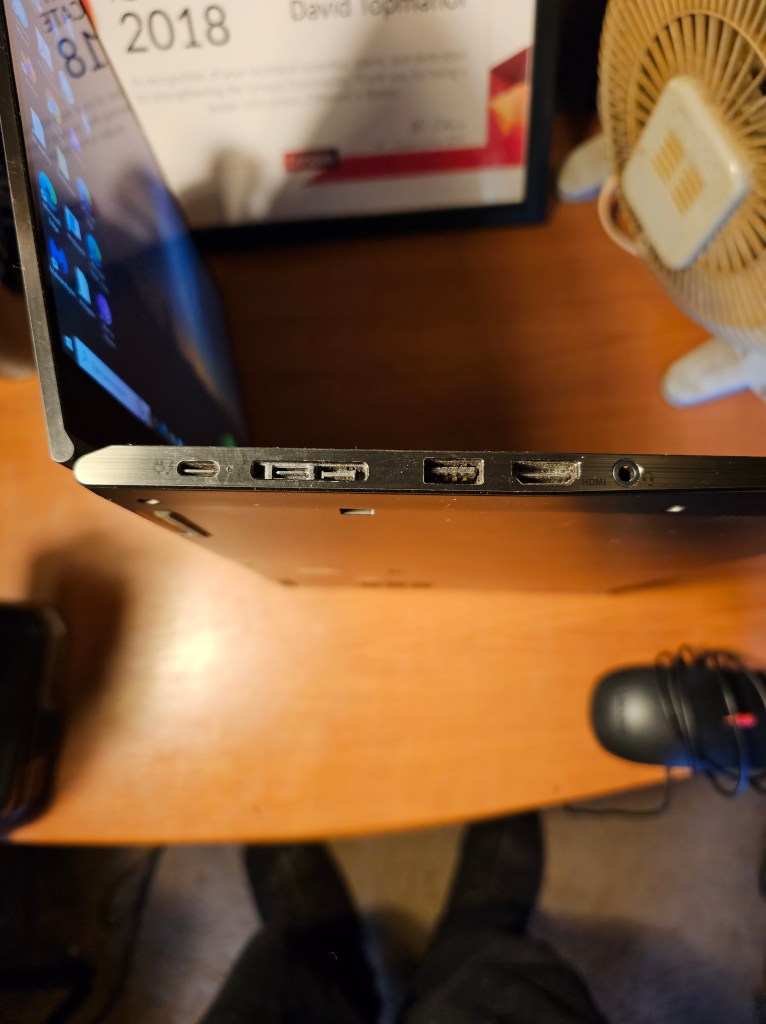
The ports on the left include:

Thunderbolt 4

Thunderbolt 4

USB 3.2 Gen 1 (Always On)

Headphone/microphone combo jack (3.5 mm)

Smart card reader

The ports on the right are:

Kensington Nano Security Slot

HDMI

USB 3.2 Gen 1

Nano-SIM card slot

Monitor Support

Supports up to 4 independent displays (native display and 3 external monitors via Thunderbolt and HDMI) • Thunderbolt supports up to 5K@60Hz • HDMI supports up to 4K@60Hz

Dimensions (WxDxH)[1]

301.7 x 214.8 x 15.95 mm (11.88 x 8.46 x 0.63 inches)

Weight[2]

ModelsWeight
Models with deep black CFRP top coverStarting at 1.12 kg (2.47 lbs)
Models with deep black carbon fiber hybrid top coverStarting at 1.09 kg (2.41 lbs)
Models with storm grey top coverStarting at 1.25 kg (2.76 lbs)

Case Color**

  • Deep black
  • Storm grey

Case Material**

  • Deep black models: carbon fiber hybrid or CFRP (top), aluminium (bottom)
  • Storm grey models: aluminium (top), aluminium (bottom)

Network

Ethernet

No onboard Ethernet[1]

WLAN + Bluetooth[1]

Intel Wi-Fi 6E AX211, 802.11ax 2×2 Wi-Fi + Bluetooth 5.1[3]

WWAN**

  • Wireless WAN upgradable to 4G (with antenna ready)[4]
  • Fibocom FM350-GL, 5G Sub-6 GHz, M.2 Card, with embedded eSIM functionality
  • Fibocom L860-GL-16, 4G LTE CAT16, M.2 card, with embedded eSIM functionality
  • Quectel EM05-G, 4G LTE CAT4, M.2 card, with embedded eSIM functionality

Here is a link to the User Guide:

These are some stats while it is running:

All in all, I believe that the changes made were all for the better. This machine runs smooth, cool, and flawless in this configuration.

X1 ThinkPad Yoga Gen 5 Review

  • Beautiful 4K touch screen
  • Exemplary keyboard
  • Stylus pen onboard
  • Top-quality construction
  • Great connectivity

LENOVO THINKPAD X1 YOGA GEN 5 SPECS

Laptop ClassConvertible 2-in-1, Business
ProcessorIntel Core i7-10610U
Processor Speed1.8 GHz
RAM (as Tested)16 GB
Boot Drive TypeSSD
Boot Drive Capacity (as Tested)512 GB
Screen Size14 inches
Native Display Resolution3840 by 2160
Touch Screen
Panel TechnologyIPS
Variable Refresh SupportNone
Screen Refresh Rate60 Hz
Graphics ProcessorIntel UHD Graphics
Wireless Networking802.11ax (Wi-Fi 6), Bluetooth
Dimensions (HWD)0.59 by 12 by 8.5 inches
Weight3 lbs
Operating SystemWindows 10 Pro
Tested Battery Life (Hours:Minutes)7:47

The 14-inch ThinkPad X1 Yoga is Lenovo’s flagship 2 in one Hybrid laptop for business, the convertible cousin of the multiple-award-winning ThinkPad X1 Carbon. It features impeccable engineering and design, plus all the manageability an IT department could desire. The ThinkPad X1 Yoga Gen 5 seen here upgrades from 8th to 10th Generation Intel silicon and from Wi-Fi 5 to 6.

This machine has a quad-core, 1.8GHz (4.9GHz turbo) Core i7-10610U vPro CPU, 16GB of memory, a 512GB NVMe SSD, and a 4K (3,840-by-2,160-pixel) IPS Dolby Vision HDR 400 touch panel with 500 nits of brightness. Two in-between screens are available, one a 1080p privacy screen and the other with WQHD (2,560 by 1,440) resolution, as is a 1TB drive. Windows 10 Pro is standard, mobile broadband is optional. 

Specs are here: https://psref.lenovo.com/syspool/Sys/PDF/ThinkPad/ThinkPad_X1_Yoga_Gen_5/ThinkPad_X1_Yoga_Gen_5_Spec.PDF

Like other ThinkPads’, the X1 Yoga’s machined aluminum chassis has survived MIL-STD 810G torture tests for shock, vibration, sand and dust, and temperature and humidity extremes. The screen barely wobbles when tapped in laptop mode, and there’s virtually no flex if you grasp its corners or press the keyboard deck. At 3 pounds, the Lenovo is relatively light for a 14-inch convertible, though heftier than the 2.4-pound ThinkPad Carbon clamshell. It measures 0.59 by 12 by 8.5 inches.

Two Thunderbolt 3 ports, either suitable for the USB Type-C power adapter, are on the left, along with USB 3.2 Type-A and HDMI ports, an audio jack, and a connector for a proprietary Ethernet dongle ($35). The right edge holds a Kensington lock slot, an always-on USB-A 3.2 port, the niche for storing and recharging the provided pen, and the power button. A fingerprint reader and a face-recognition webcam give you two ways to access Windows Hello logins.

ThinkPads have the finest keyboards in portable computing, and the X1 Yoga is no exception. The backlit keyboard has a snappy typing feel, with cursor arrow keys in the proper inverted T and dedicated Home, End, Page Up, and Page Down keys, as well as handy top-row keys for controlling brightness, volume, microphone mute. You have a choice of the embedded TrackPoint pointing stick, with its three buttons south of the space bar, or a buttonless touchpad. Both glide smoothly and navigate easily.
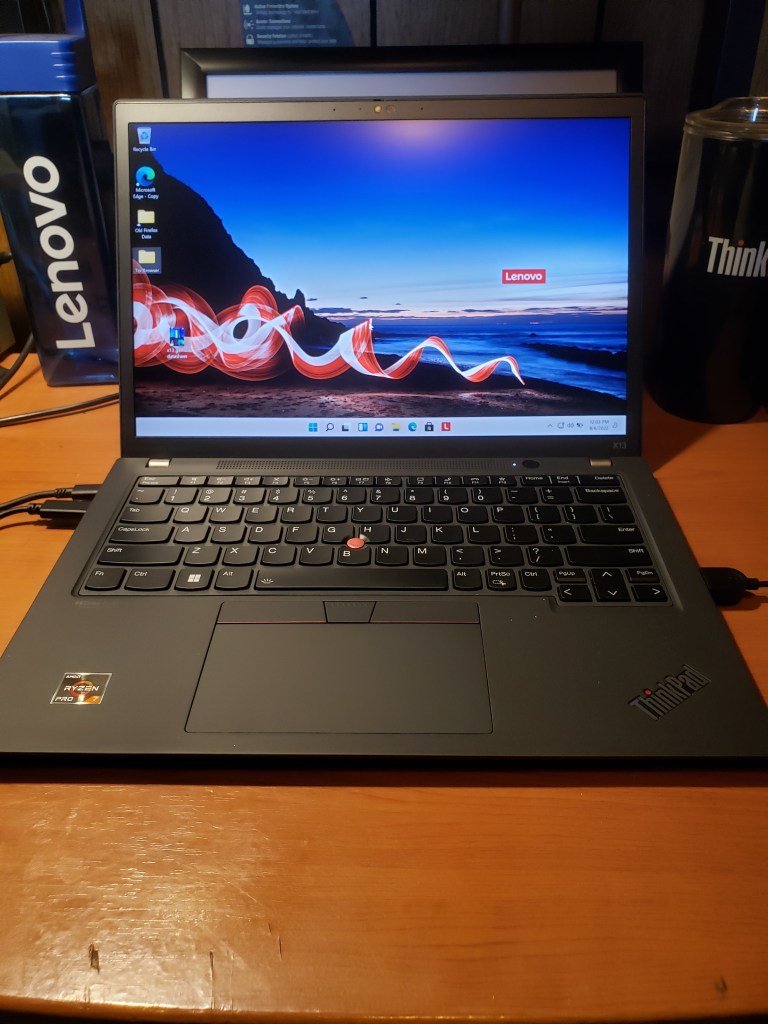
The 4K touch screen is a highlight, with plenty of brightness, good contrast, and nicely white backgrounds. Colors are rich and well saturated (Lenovo says the display covers 90% of the DCI-P3 gamut), and fine details crystal clear. Viewing angles are broad. A tiny sliding shutter covers the 720p webcam. Speakers on the bottom front of the machine have an excellent loud sound. Battery life gets just shy of 8 hours which isn’t bad for a laptop with a 4K display.

There’s a lot to like about the ThinkPad Yoga Gen 5, and its keyboard and screen are simply as good as it gets among business convertibles. It is a desirable 2-in-1 laptop for the enterprise.

Lenovo ThinkPad X13 AMD Gen 3 Further Testing

I thought it was time to do a little testing on the Power Management, Temps, and speed of this machine. It is built to deliver speed, reliability, and quality. I wanted to see what would happen if I stressed the machine. It handled everything very well.

I mentioned this in the first look, but it deserves more credit. Lenovo replaced the dedicated port for the Ethernet adapter with a standard USB-C 3.2 port, which allows much more usage. It shows that Lenovo does listen to the user feedback. Anything that isn’t covered in this write-up should have been included in the First Look Write-up which is here:

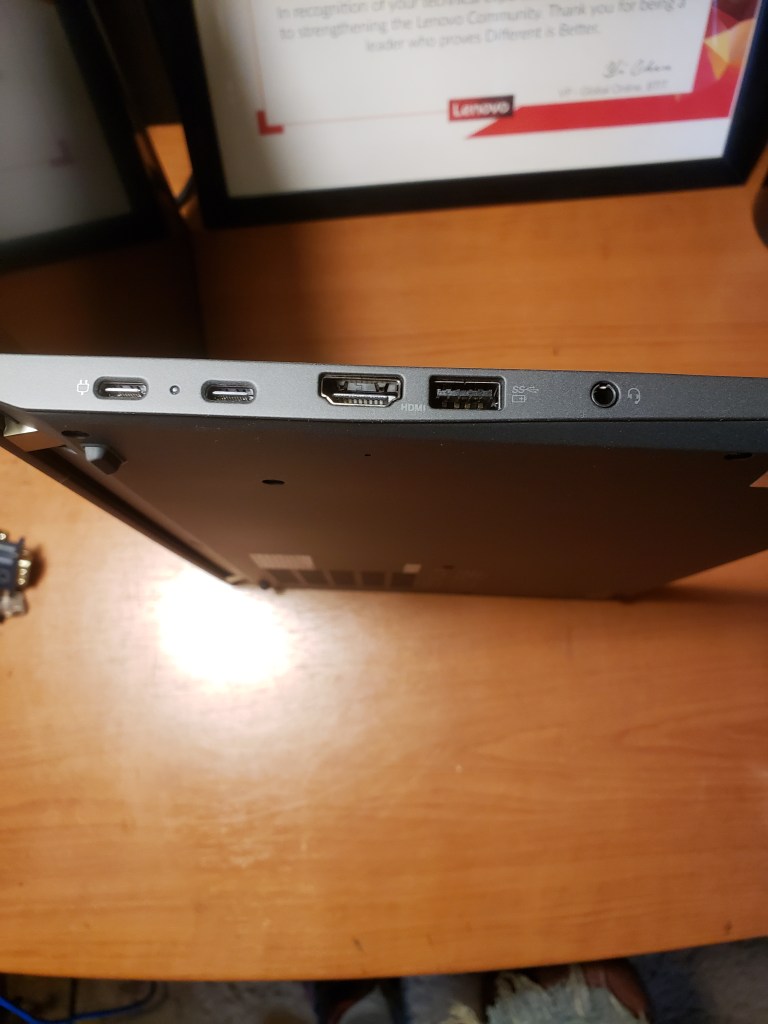
Power in on the left, USB-C 3.2 next to it.

The first thing I did was take a reading of everything at idle, one browser window open and OneDrive downloading in the background.

At idle.

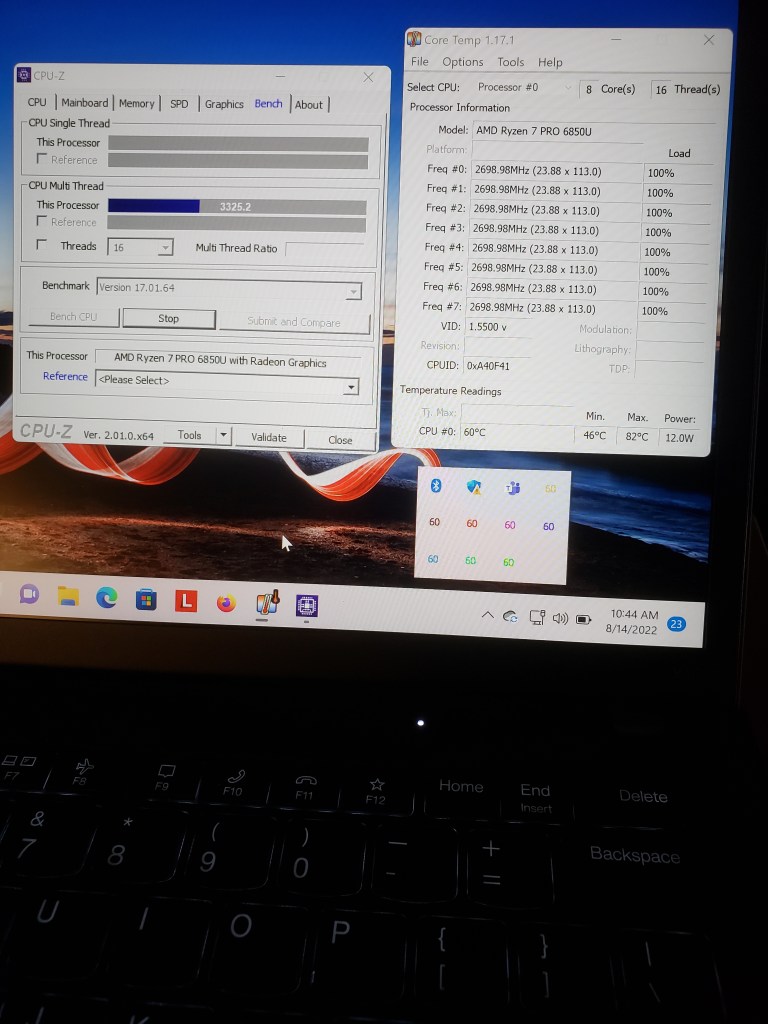
The next thing to do was to stress it. This is it being stressed within 10 minutes of starting the test.

Temps at 60C, Fan still slow, not noisy at all.

This image is of running the stressing for 40 minutes. At no time did the temps get above 70C. There was some throttling of the CPU.

After 40 minutes of stressing.

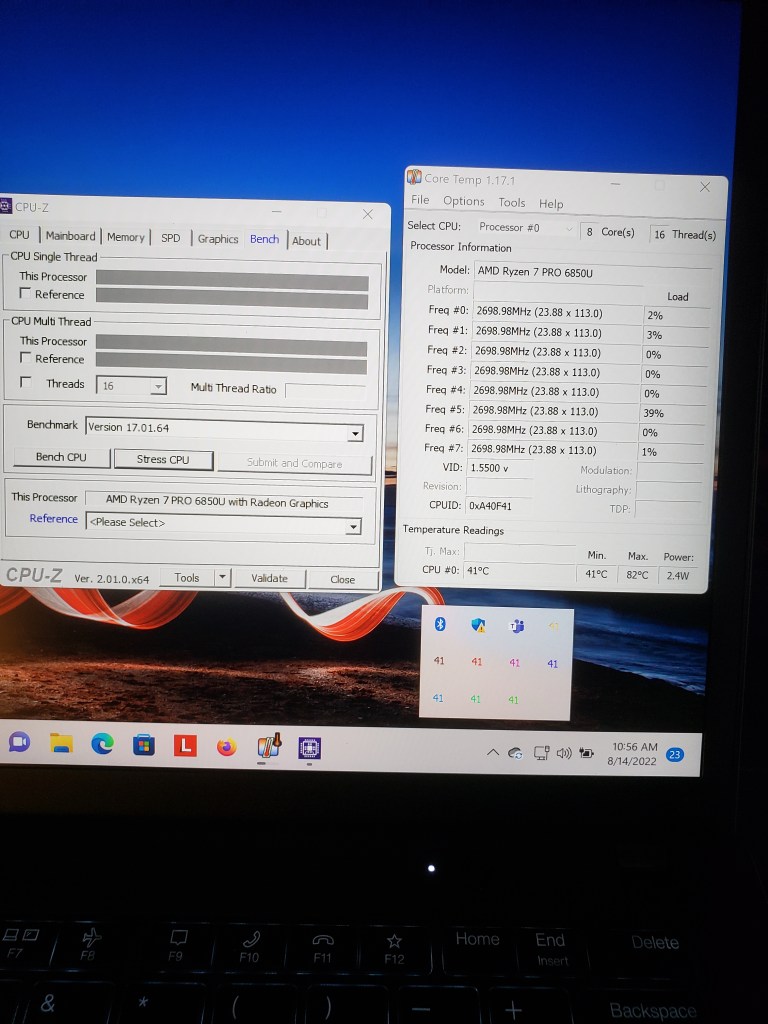
This last image is the machine back to idle.

At the end.

It looks to me like Lenovo and AMD have figured out the Power Management issues that plagued early AMD machines. There was no lagging, throttling, or freezing while this was going on. Hardly any fan noise at all, there was heat coming out of the vent, but the fans didn’t make much noise at all.

With everything considered, this is a very powerful cool running computer in a small form factor. So much power in such a small machine. I would like to see how the Intel version stacks up against this one. I ran this test on battery only to see what the battery draw would be and it lost about 10% during the hour of testing. So, battery life for this machine should be very long even if you are stressing the machine.

ThinkPad X13 AMD Gen 3 First Look

Featured

The new ThinkPad X13 is designed to deliver speed and reliability. This AMD version has excellent cooling and very good battery life. This computer can be configured in many different ways. This machine has the following specs:

AMD Ryzen 7 6000 Pro

Windows 11 Pro

Integraded Radeon 600M Graphics

FHD IR camera with webcam privacy shutter and HPD (Human Presence Detection)

32GB LPDDR5 Dual Channel RAM

54.7Wh Battery

XQXGA 16:10 Display (2560×1650) Low Power IPS

Datasheet is below:

It came with a USB-C to Ethernet adapter and the USB-C Power supply. (65 Watt)

As for ports, on the left side is from left to right: USB-C 4.0, USB-C 3.2, Full size HDMI 2.0b, USB-A 3.2, and 1x Audio (headphone and microphone combo jack)

On the right side is a USB-C 3.2 port and a Nano Kensington lock slot.

This machine supports Windows Hello, the IR camera supports Facial Recognition, (1080p) and the start button incorporates a Fingerprint Reader. It has ThinkPad PrivacyGuard.

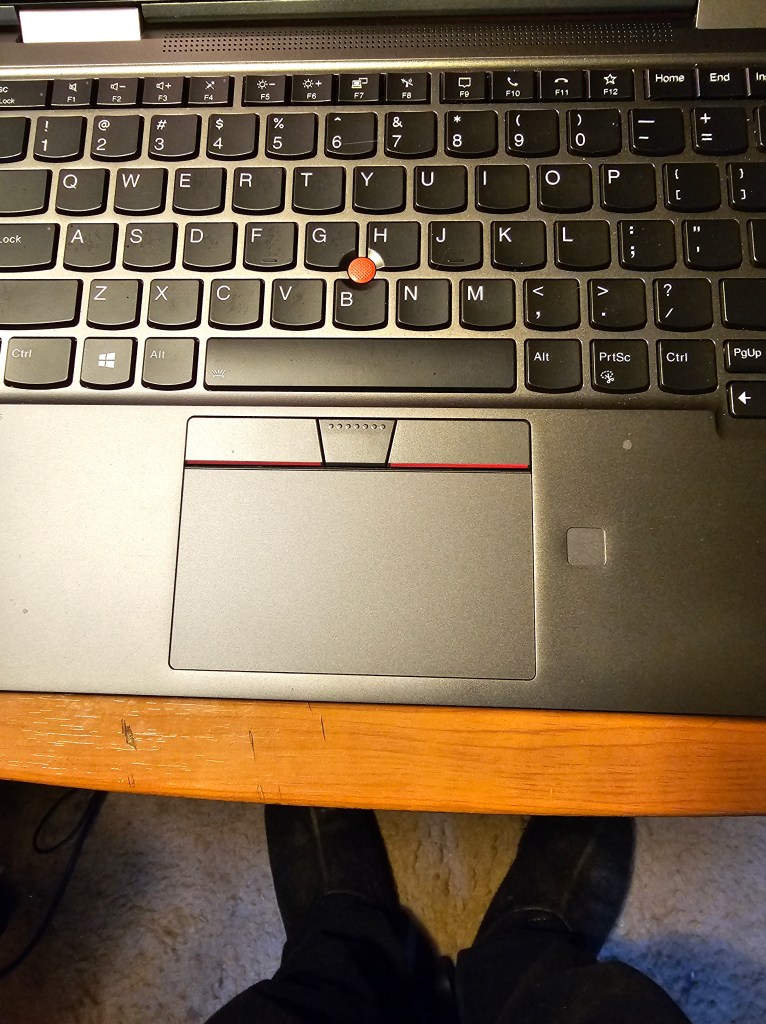
It also has a backlit keyboard.

The following image shows the differences between the Generation 2 and the Generation 3.

This comes with a User Facing Dolby Audio Speaker system and 2x FarField Microphones. The Microphones are at the top of the display on either side of the camera.

There is no screen wobble, no chassis flex, this machine feels sturdy for how thin it is. At no time do the screen colors look like anything except the colors that they are. You can order this in Black or Storm Grey. Battery life on this machine is great, I was able to get 10 hours while running 3 YouTube movies and having about 25 tabs open in Chrome. At no time did the temps go over 65 degrees C while doing this.

AMD has come a long way from their early days, it looks like they have gotten it down to a science. The only thing I see lacking is Thunderbolt support for the USB-C ports. The temps and power work together nicely, this is an excellent machine.

Lenovo ThinkPad X13 Gen 2 i

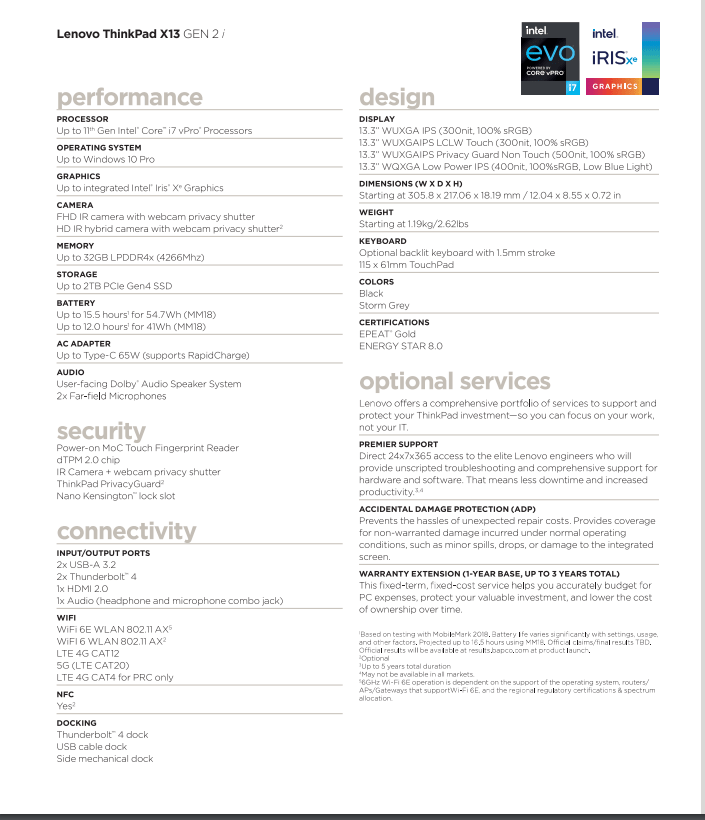
The new ThinkPad X13 Gen 2 i is built to deliver speed and reliability while maintaining very good battery life and extreme portability. There are many great improvements this year and one of the best ones is the move to 16:10 panels. This machine can be configured in many different ways. This unit has the following specs:

  • 11th gen Intel i7 vPro CPU
  • 13.3″ XQXGA Low Power IPS (400 nit, 100%sRGB, Low Blue Light Display
  • 16GB RAM LPDDR4x (4266Mhz)
  • 1TB SSD PCIe Gen 4
  • WQXGA display
  • FHD IR hybrid camera with webcam privacy shutter
  • Wifi 6E
  • 5G Wireless
  • Larger 55WHr battery
  • Backlit (Optional) keyboard with 1.5mm stroke

The X13 offers many ways to customize components. Between processor, memory, storage, and display options, the ThinkPad X13 Gen 2 i gives you nearly limitless configurations to help build the ideal machine.

Side viewing angles on the screen are very good, even with direct light shining on it. The added real estate to the screen from the 16:10 is excellent.

Other hardware that came in the box with this were the 65 Watt USB-C Power Adapter and the cable adapter for the Ethernet.

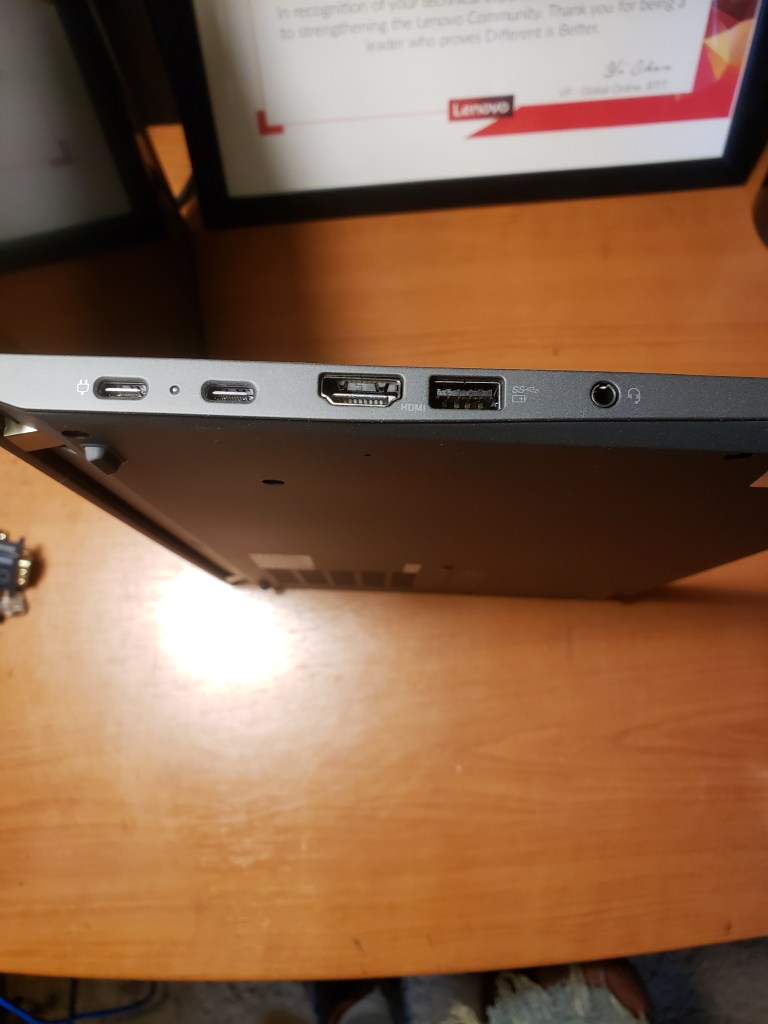
Ports on the left side of the X13 from left to right include: USB-C Thunderbolt 4 Power, Thunderbolt 4, Ethernet port for the adapter, HDMI, USB-A, and a microphone headphone combo jack.

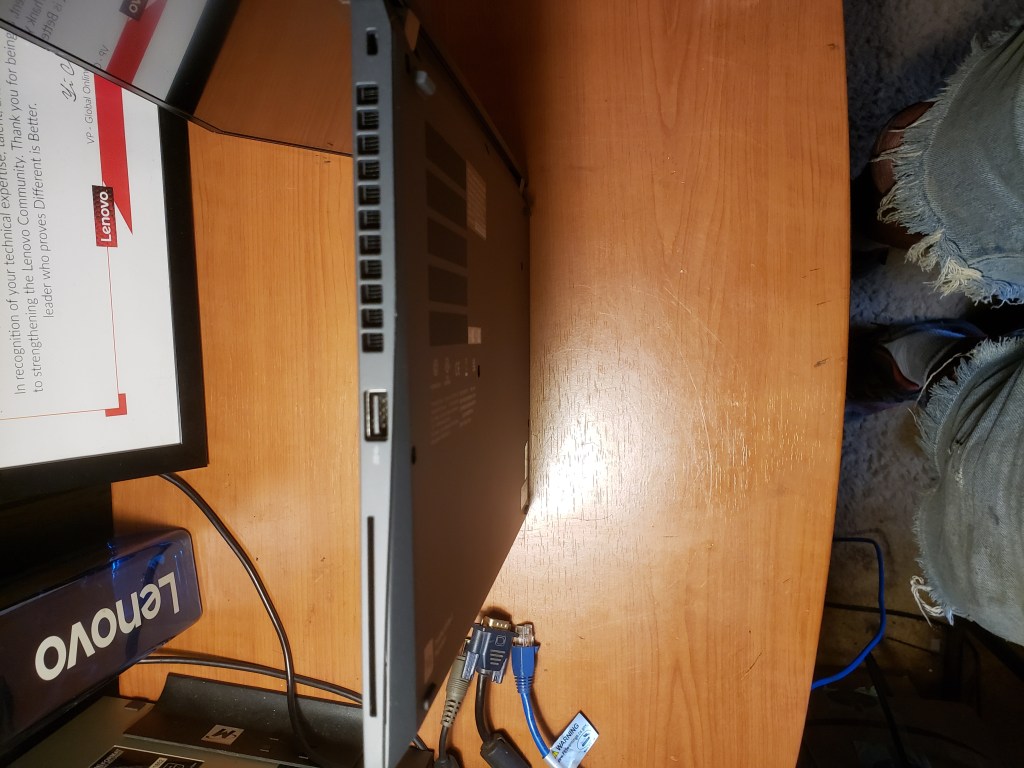
Port on the right side is a USB-A. The heat exhaust is next to it. There is a micro kensington lock slot to the right of the exhaust.

This comes with a User Facing Dolby Audio Speaker system and 2x FarField Microphones. The Microphones are at the top of the display on either side of the camera.

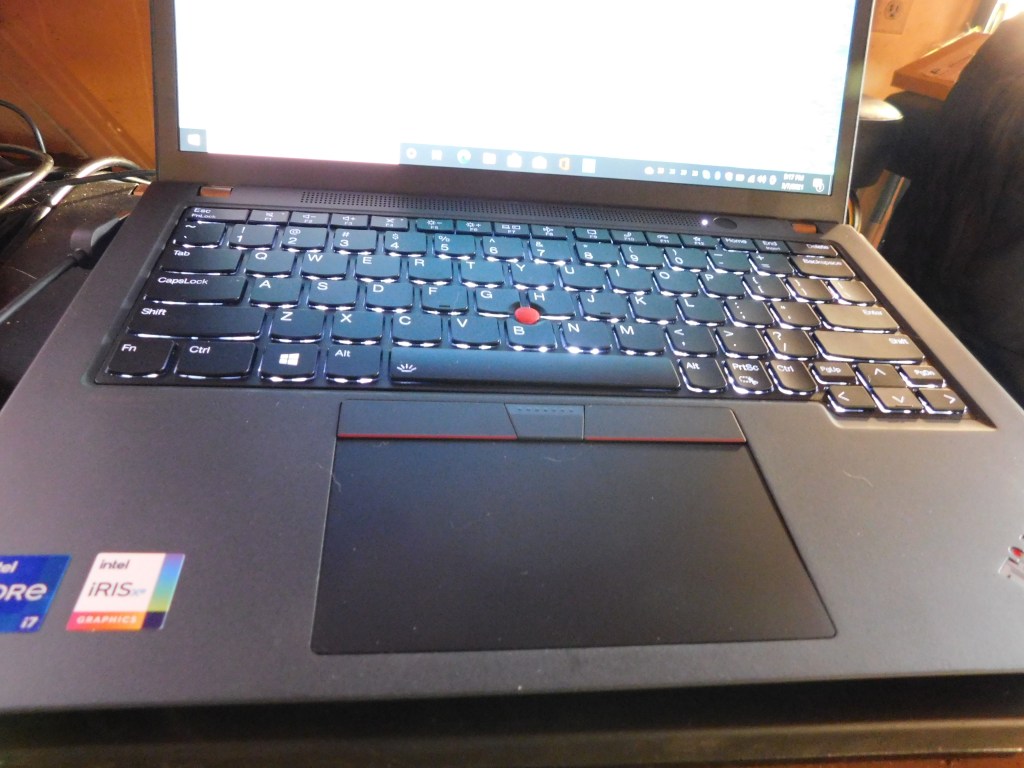
This comes with a 115 x 61mm TouchPad and it also has the optional backlit keyboard with 1.5mm stroke.

If you are looking for the Fingerprint reader, you won’t find it. It is incorporated into the start button, that should give you almost instant login potential. I found that the Infrared camera with the facial recognition also gives an almost instant login. This one also came with the optional human presence detection that locks the PC when you step away.

There is no screen wobble, no chassis flex, this machine feels sturdy for how thin it is. At no time do the screen colors look like anything except the colors that they are. You can order this in Black or Storm Grey.

Docking systems that are compatible with this machine are the Thunderbolt 4 dock, USB cable dock, and the side mechanical dock.

Yoga 900 Review and First Thoughts

I was privileged to receive a Yoga 900 for testing and review. This is the newest addition to Lenovo’s line of convertible laptops and based on what I have observed after some use of it, Lenovo has listened to and incorporated changes based on user feedback concerning the previous versions of this line.

All in – the Yoga 900 is a tiny bit thicker and a bit heavier then its predecessor, the Yoga 3 Pro, but there are reasons for this.

The first reason is that there is a new keyboard – the keys have a bit more travel to them and it also inludes a 6th row of keys. It now has a dedicated Function (F) row. By default, the hotkey functions are accessible by pressing the appropriate hotkey. However, you can disable the hotkey mode in the BIOS setup utility. There is slightly more travel to the keys and they seem easier to type on than previous versions.

20151018_150728[1]

It also has Intel’s latest line of processors, the 2-Core Skylake i7-6500U @ 2.40 GHz which has resulted in a definite increase in performance over the M Processor which was in the Yoga 3 Pro.  This is coupled with 8 GB of RAM and Intel HD Graphics 520.

20151004_185049[1]

The display is a 3200 x 1800 resolution 13 inch capacitive screen and has excellent vciewing angles, as well as a full 10-finger touch.  The response to touch is flawless: at no time did the display ever register any ghost touches or act any way that it wasn’t supposed to.  The display is viewable in sunlight but there is some reflection.  However, at no time was I unable to view the screen.

The hard drive in this machine is the Samsung MANLN512HCJHOOOOL2 aand is at 512 GB (SATA-600) and runs very fast.

This also comes with a great selection of ports.  On the left side of the laptop are the power port, a USB 3.0 port, a memory card slot, and it now has a Type-C port which supports USB 3.0, Native display port 1.2 video output and VGA/HDMI adapter which is sold separately.  On the right side is a Battery and Power status indicator, the power button, the Novo button, the rotation lock button, the combo audio jack and another USB 3.0 port.

There are a variety of modes that this machine can be used in, laptop mode, tent mode Both shown above and tablet mode shown below.  The screen rotates 360 degrees and in tablet mode the keyboard is disabled.

The battery is now a 67000 mWh and it should give at least six hours watching movies or using power intensive programs.  I got 7 hours just surfing the internet and that is without having any power saving enabled.

The machine comes with Windows 10 Pro preloaded and it runs fast and smooth.  I haven’t found any issues yet with the preload.  The number of preloaded apps has been reduced significantly, again possibly as a result of user feedback.  There aren’t many third party programs loaded and the ones that are, are useful.

20151004_181125[1]

Tablet Mode

20151004_184304[1]

Tent Mode

20151018_150441[1]

Yoga 3 Pro and Yoga 900

Here you can see the slight thickness difference.

20151018_151012[1]

20151018_150809[1]

Above is the Yoga 900 with the new 6 row keyboard.

20151004_182022[1]

And that beautiful watchband hinge.

20151004_181706[1]

All in all, Lenovo certainly has listened to the feedback and changed some things that needed changed but kept the features that made the convertible laptops great.  One of these was the watchband hinge, which I really like a lot.  Power management handles the fan pretty well, under high load the fan speeds up like it is supposed to and powers back down under light load just like it is supposed to.

Lenovo has put together a well rounded convertible laptop that is powerful and smooth running.  I like the silver gray color also.