
From time to time Lenovo sends me computers for testing and evaluation and I run them through their paces and compare them to various past versions. This computer is one of those examples.
The new Lenovo ThinkPad X13 Gen 5 replaces the ThinkPad X13 Gen4. While it is a simple update without any design changes (meaning the FN/Ctrl key swap does not happen here), there are a few interesting changes of note. this new model features Intel CPUs. Intel Meteor Lake, also known as Core Ultra. Both Core Ultra U and Core Ultra H are going to be available, which means that the new model can contain the Intel ARC GPU. Notably, the new X13 G5 is called just that, X13 Gen 5. Progress compared to the previous version can be found in the RAM department. While the memory is still soldered, the 8 GB option has been cancelled. Memory size now starts at 16 GB and 64 GB configurations will be available. This machine came with 64 GB.The 2.8K OLED screen option featured on the X13 G4 is no longer available, which means the X13 Gen 5 is limited to a WUXGA screen resolution. The X13 Gen 5 gains WiFi 7 as a new option. The rest of the system appears to be identical to the Lenovo ThinkPad X13 G4.
Here is the PSREF of the computer showing all the different specs of the Models:
https://psref.lenovo.com/Product/ThinkPad_X13_Gen_5
This is a comparison of Specs. between the X13 G4 and the new X13 G5.
| Attribute | X13 G4 Intel(Cleansheet 2023) | X13 G5 Intel(Refresh 2024) |
| Dimension (mm/in) | hybrid CF deep black A: 301.7 x 214.8 x 15.95CFRP deep black A: 301.7 x 214.8 x TBDaluminum storm grey A: 301.7 x 214.8 x TBD | hybrid CF eclipse black A: 301.7 x 214.8 x 15.95CFRP eclipse black A: 301.7 x 214.8 x 15.95 |
| S / T / B Bezel Size (mm) | 7.21 / 10.6 / 13.71 | 7.21 / 10.6 / 13.71 |
| Screen Size & Ratio | 13.3”, 16:10, 83.9% | 13.3”, 16:10, 83.9% |
| Starting Weight (lbs/kg) | non touch 2.51lbs / 1.14kg (CFRP deep black + OLED + 41WHr) non touch 2.84lbs / 1.29kg (aluminum storm grey + OLED + 41WHr) | non touch 2.51lbs / xxxkg (Hybrid CF black + 41WHr) |
| Color/Material | deep black CFRP A, hybrid CF A, 90% recycled magnesium C, 50% recycled aluminum D storm grey WLAN 50% recycled aluminum A/C, 50% recycled aluminum D; storm grey WWAN 50% recycled aluminum A, 90% recycled magnesium C, 55% recycled aluminum D | deep black CFRP A, hybrid CF A, 90% recycled magnesium C, 50% recycled aluminum D |
| Resolutions/Color Gamut | WUXGA (1920×1200) IPS AG (300nit, 100% sRGB)WUXGA (1920×1200) IPS OCT touch AG (300nit, 100% sRGB)WUXGA (1920×1200) LP IPS AG (400nit, 100%sRGB, Eyesafe)2.8K (2880×1800) OLED AGARAS (400nit, 100% DCI-P3, Dolby Vision, Eyesafe, HDR True Black 500, 90Hz) | WUXGA (1920×1200) IPS AG (300nit, 100% sRGB)WUXGA (1920×1200) IPS OCT touch AG (300nit, 100% sRGB)WUXGA (1920×1200) LP IPS AG (400nit, 100%sRGB, Eyesafe) |
| SoC | Intel Core RPL P28 21W + U15 15.5W | Intel Core Ultra (5/7) MTL H 21W + U15 15.5W |
| Graphics | Intel integrated Iris Xe | Intel ARC Graphics and intel integrated Graphics |
| Memory | LPDDR5 8G, 16G, 32G-4800MHz soldered down (dual channel) | LPDDR5x 16G, 32G, 64G 5600MHz soldered down (dual channel) |
| Storage | up to 2TB PCIe Gen4x4 SSD (2280) | up to 2TB PCIe Gen4x4 SSD (2280) |
| Battery | up to 97% PCC 41Whr, 54.7Whr; up to 95% PCC 45W,65W USB-C | up to 90% PCC 41Whr, 54.7Whr; up to 90% PCC 45W,65W USB-C |
| OS | Win11 DG, Win11 Pro, Linux | Win11 DG, Win11 Pro, Linux |
| Input Device | up to 85% PCC ThinkPad TrackPoint Keyboard (1.5mm travel), glass-like Three Button Clickpad | up to 85% PCC ThinkPad TrackPoint Keyboard (1.5mm travel), glass-like Three Button ClickPad, TrackPoint QuickMenu |
| Docking | TBT4, USB-C | TBT4, USB-C |
| Ports | 2x USB-A 3.2 G1, 2 x USB-C(TBT4), Audio, HDMI 2.0b, SIM | 2x USB-A 3.2 G1, 2 x USB-C(TBT4), Audio, HDMI 2.1, SIM |
| Audio | user facing Dolby Audio Premium, Dolby Voice, 95% PCC 2 speakers, 2 mics | user facing Dolby Audio Premium, Dolby Voice, 90% PCC 2 speakers, 2 mics |
| Camera | HD RGB, FHD RGB, 5MP + IR w/ webcam privacy shutter | 5MP RGB, 5MP + IR w/ webcam privacy shutter |
| Connectivity | Wi-Fi 6E, 4G LTE CAT4 (black), CAT16 (black), 5G sub6 eSIM (black), NFC (black), BT 5.2 | Wi-Fi 6E, Wi-Fi 7, Wi-Fi 6E, 4G LTE CAT4 PRC (black), 4G LTE CAT6 (black), 5G sub6 eSIM (black), NFC (black), BT 5.3 |
| Biometric / Security | FPR in PWR, IR Cam, SCR, Privacy Shutter, dTPM, Nano lock, ThinkShield, Firmware Shield | FPR in PWR, IR Cam, SCR, Privacy Shutter, dTPM, Nano lock, ThinkShield, Firmware Shield |
| Additional Features | Ultrasonic HPD, Intel Evo, MIL-SPEC 810H, EPEAT Gold, NIST SP800-193, Secured-Core PC, Glance, recycled packaging | Ultrasonic HPD, Intel Evo, MIL-SPEC 810H, EPEAT Gold, NIST SP800-193, Secured-Core PC, Glance, recycled packaging |
50% recycled aluminium on storm grey top cover 50% recycled aluminium or 90% recycled magnesium on keyboard cover 55% recycled aluminium on bottom cover 90% PCC recycled plastic used in speaker enclosure 90% PCC recycled plastic used in the battery enclosure 90% PCC recycled plastic used in standard 45W and 65W adapters Low-temperature solder Retail or standard packaging: plastic free packaging with 100% bamboo sugarcane fiber

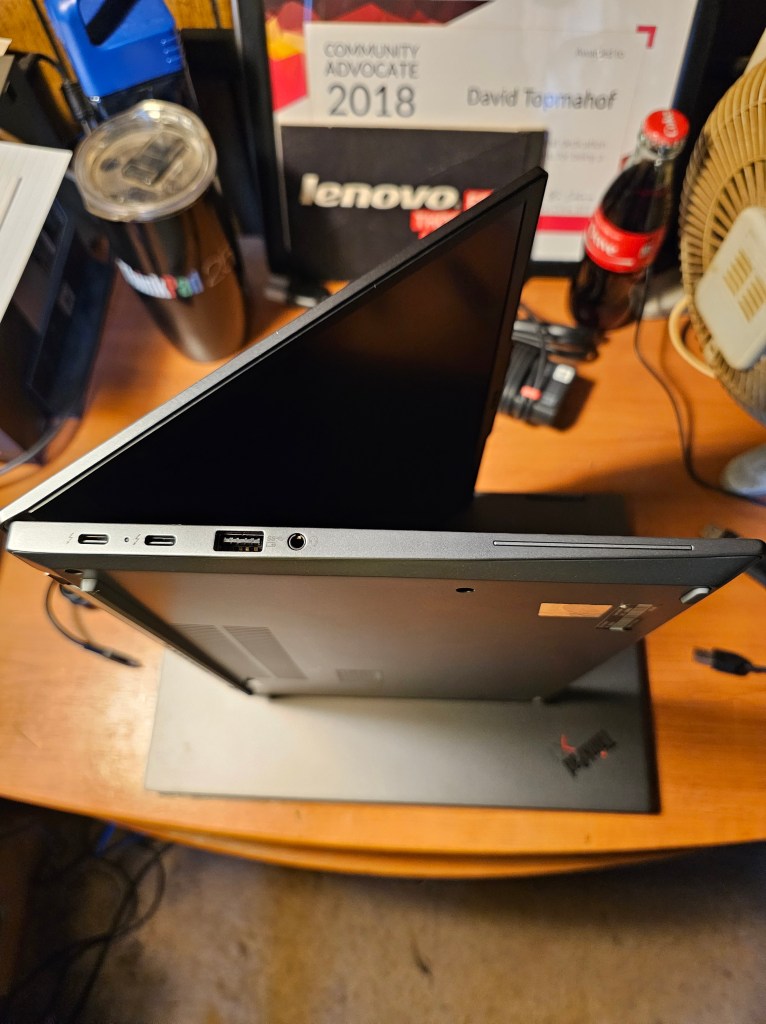
Ports on the left side are:
- 2 x USB-C Thunderbolt™ 4 (40 Gbps, power in)
- USB-A 3.2 Gen 1 (always on)
- Headphone / mic combo
- Optional: Smart card reader

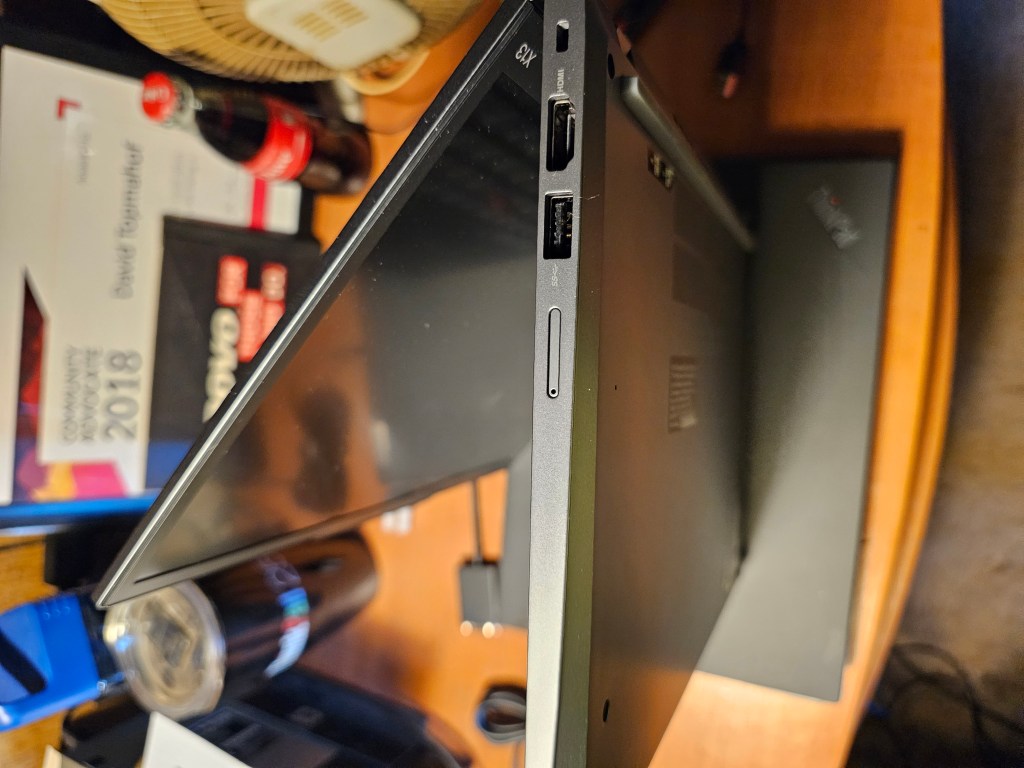
Ports on the right side include:
- USB-A 3.2 Gen 1
- HDMI 2.1
- Kensington Nano Security Slot
- This can come with an Optional: Nano SIM (WWAN not available in North America)

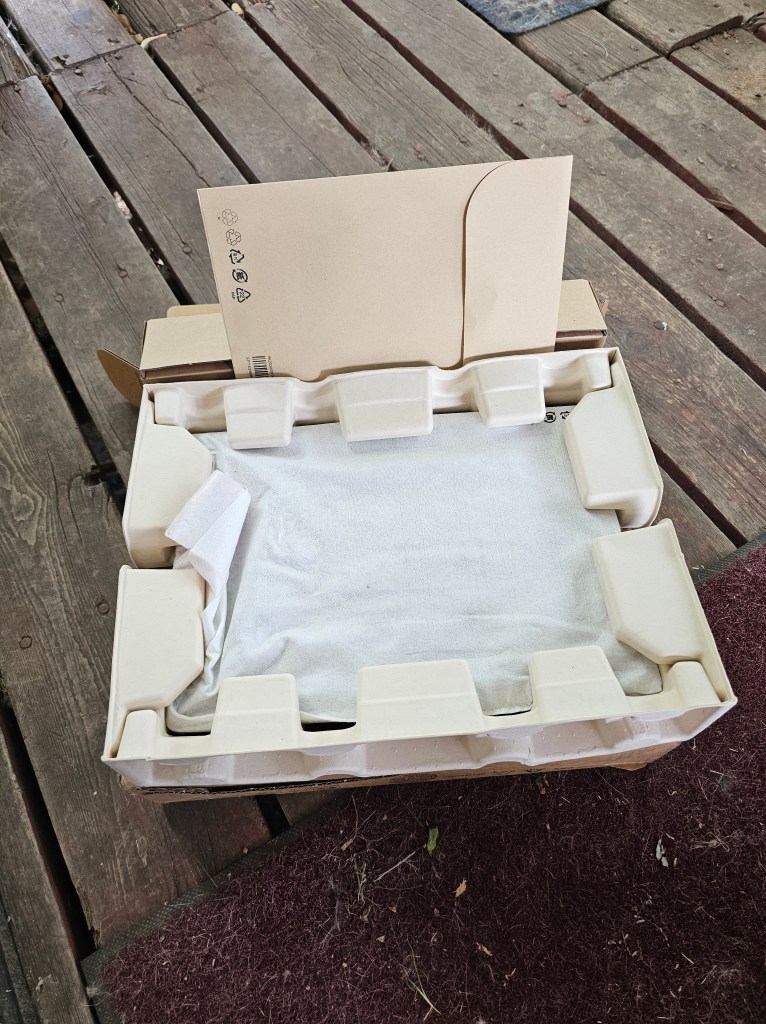
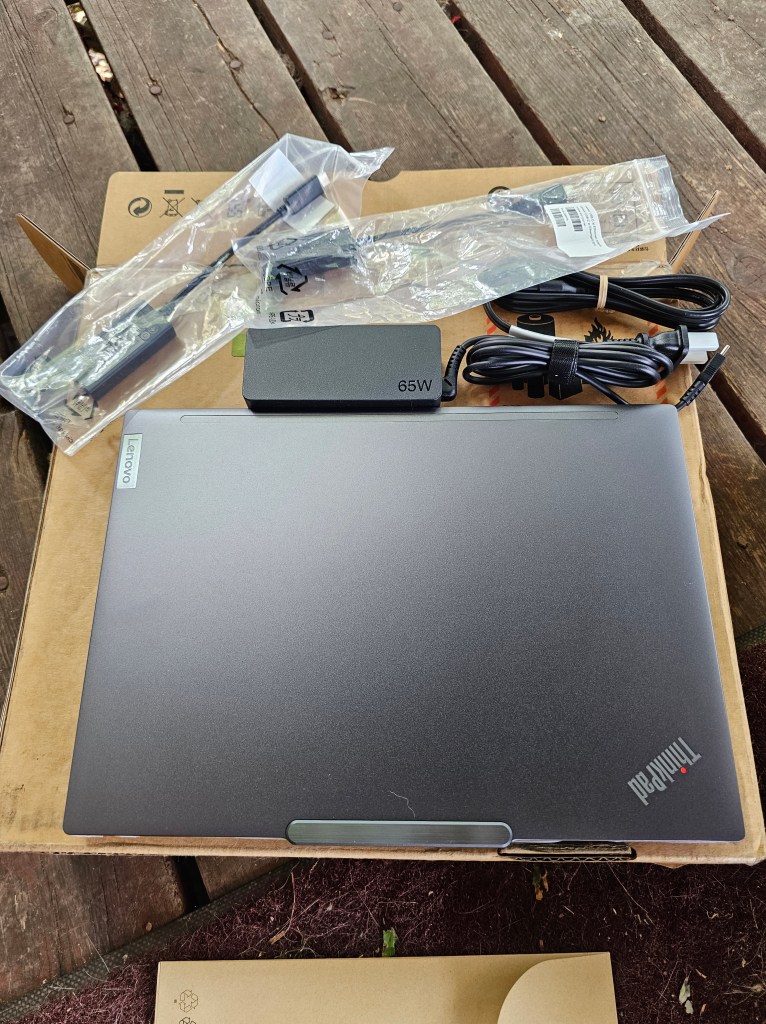
What came in the box, the computer and the 65W AC adapter.

Professional-grade Performance
Powered by Intel® Core™ Ultra processors, the compact 13.3″ Lenovo ThinkPad X13 Gen 5 laptop taps into AI-assisted productivity like never before. Enjoy optimized performance with workloads pushed to dedicated AI engines, including the low-power neural processing unit (NPU) that enables you to do more, unplugged. Choose the Intel vPro® Evo™ Edition, for multilayer security, professional-grade performance, reliable stability, and complete management for IT.

Engineered to Endure
We use the US Department of Defense’s MIL-STD 810H to create a balance of reliability and durability for ThinkPad laptops. Meeting or exceeding 12 standards, 26 procedures, and 200+ quality checks ensure that these devices run in extreme conditions, including harsh variables like Arctic wilderness, desert dust storms, extreme temps, pressure, humidity, vibration, and more.
Tech Specs
Performance
| Processor | Intel® Core™ Ultra 5 125U Processor (E-Core Max 3.60 GHz, P-Core Max 4.30 GHz with Turbo Boost, 12 Cores, 14 Threads, 12 MB Cache)Intel® Core™ Ultra 5 135U Processor with vPro® (E-cores up to 3.60 GHz P-cores up to 4.40 GHz with Turbo Boost, 12 Cores, 14 Threads, 12 MB Cache)Intel® Core™ Ultra 7 155U Processor (E-Core Max 3.80 GHz, P-Core Max 4.80 GHz with Turbo Boost, 12 Cores, 14 Threads, 12 MB Cache)Intel® Core™ Ultra 7 165U Processor with vPro® (E-cores up to 3.80 GHz P-cores up to 4.90 GHz with Turbo Boost, 12 Cores, 14 Threads, 12 MB Cache) |
|---|---|
| Operating System | Windows 11 Pro |
| Graphics | Intel® integrated graphics |
| Memory | 16GB LPDDR5X 6400MHz |
| Storage | Up to 1TB PCIe SSD Gen 4 Performance |
| Battery | 41Whr or 54.7WhrSupports Rapid Charge (60 minutes = 80% capacity) with 65W or higher adapter |
| Audio | Dolby Audio™ Dolby Voice®2 x speakers2 x mics |
| Camera | 5MP & infrared (IR) with webcam privacy shutter |
Connectivity
| Ports/Slots | 2 x USB-C Thunderbolt™ 4 (40Gpbs, power delivery 3.0 / DisplayPort 2.1)2 x USB-A, 5GbpsHDMI® 2.1 (supports resolution up to 4K@60Hz)Headphone / mic combo USB port transfer speeds are approximate and depend on many factors, such as processing capability of host/peripheral devices, file attributes, system configuration and operating environments; actual speeds will vary and may be less than expected. |
|---|---|
| Wireless | Intel® Wi-Fi 6E AX211 802.11AX (2 x 2) Bluetooth® 5.3vPro®: On vPro® Processors *6GHz WiFi 6E operation is dependent on the support of the operating system, routers/APs/gateways that support WiFi 6E, along with the regional regulatory certifications and spectrum allocation. |
| Supported Docking | Thunderbolt™ DockUSB-C Dock |
Design
| Display | 13.3” WUXGA (1920 x 1200) 16:10 aspect ratio, IPS, on-cell touchscreen, antiglare, 300 nits, 100% sRGB 13.3” WUXGA (1920 x 1200) 16:10 aspect ratio, IPS, antiglare, 300 nits, 100% sRGB |
|---|---|
| Dimensions (H x W x D) | Starting at 15.95mm x 301.7mm x 214.8mm / 0.61″ x 11.88″ x 8.46″ |
| Weight | Starting at 1.13kg / 2.25 lbs |
| Keyboard | Optional: BacklitSpill-resistant (up to 200ml / 6.76oz)Dual-function TrackPoint: navigate cursor or double-tap to open TrackPoint Quick Menu TrackPad: 110mm / 4.33″ |
| Color | Black |
Sustainability
| Material | 90% recycled magnesium on keyboard frame (C)55% recycled magnesium on bottom (D) coverUp to 85% post-consumer content (PCC) recycled plastic used in keycaps90% PCC recycled plastic in speaker enclosure90% PCC recycled plastic in battery enclosureUp to 90% PCC recycled plastic in AC adapter100% recycled and/or sustainable packaging, Forest Steward Council® certified**Packaging composed of recycled, and/or biobased, and/or sustainably forested content. |
|---|---|
| Certifications / Registries | ENERGY STAR® 8.0EPEAT® Gold, where applicable*Eyesafe® (select models)Forest Stewardship Council® for packagingIntel® Evo™ (select models)MIL-SPEC 810HTCO 9 *Visit www.epeat.net for registration status by country. |
Other Information
| Thinkshield Security | Discrete Trusted Platform Module (dTPM) 2.0Facial recognition login (requires IR camera)Intel vPro® securityKensington Nano Security Slot™Microsoft Secured-core PCsOptional: Power-on Match-on-chip Fingerprint ReaderUltrasonic Human Presence Detection (requires IR camera)Webcam privacy shutter |
|---|---|
| Preloaded Software | Intel® Connectivity Performance SuiteIntel® Unison™Lenovo Commercial VantageLenovo ViewTrackPoint Quick Menu |
| What’s in the Box | ThinkPad X13 Gen 5 (13” Intel)USB-C 65W AC Adapter, supports Rapid ChargeInternal BatteryQuick Start Guide |
| Other Information | Full spec list for part numbers starting with 21LU available here *Not all specs available on lenovo.com |
Specifications may vary depending on region/model and availability
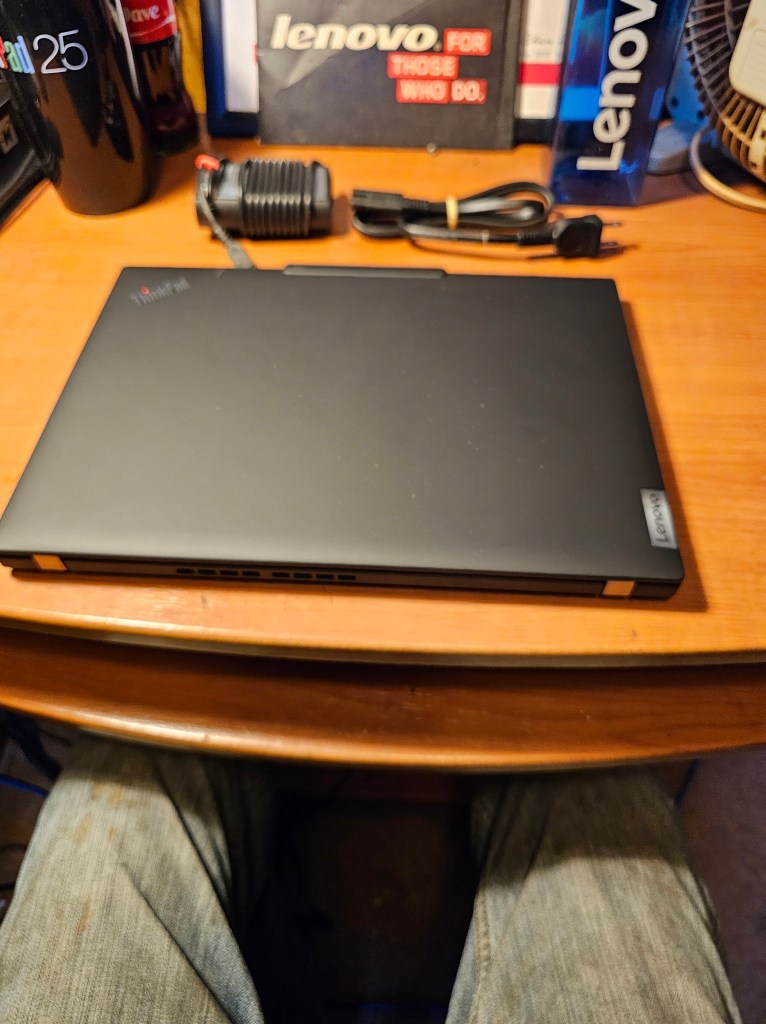


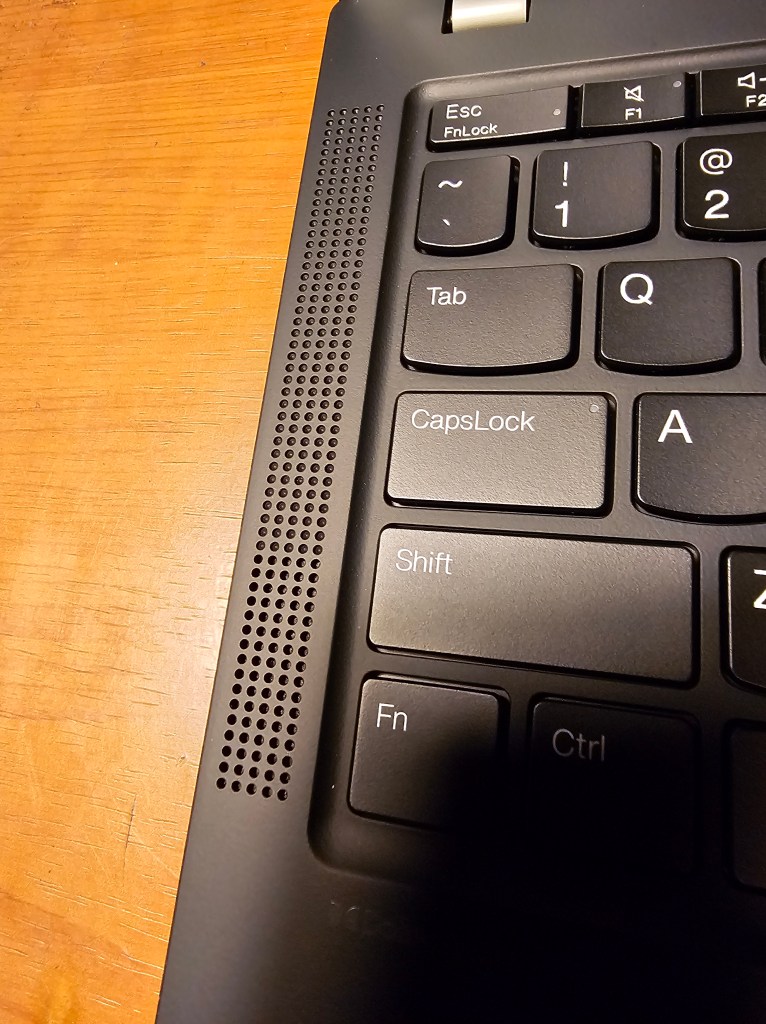

Setup was fast and smooth, no glitches. 64 GB RAM made everything go fast.

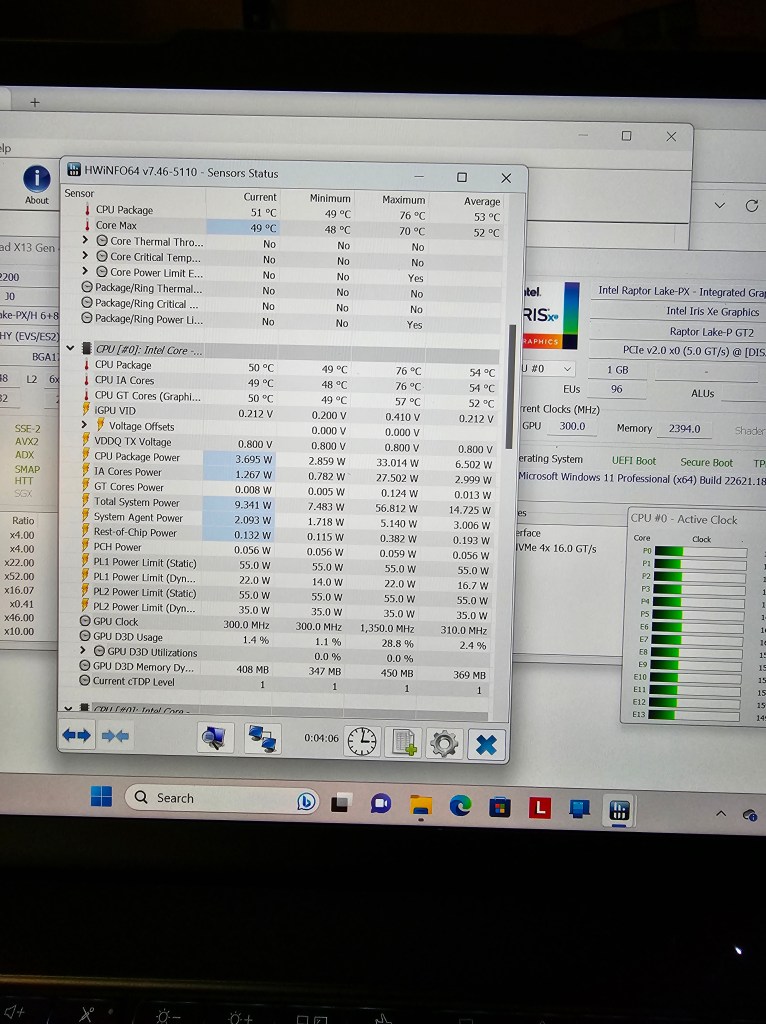
All in all, I believe that the changes made were all for the better. This machine runs smooth, cool, and flawless in this configuration.






![20151018_150728[1]](https://topmahof.com/wp-content/uploads/2015/10/20151018_1507281.jpg)
![20151004_185049[1]](https://topmahof.com/wp-content/uploads/2015/10/20151004_1850491.jpg)
![20151004_181125[1]](https://topmahof.com/wp-content/uploads/2015/10/20151004_1811251.jpg)
![20151004_184304[1]](https://topmahof.com/wp-content/uploads/2015/10/20151004_1843041.jpg)
![20151018_150441[1]](https://topmahof.com/wp-content/uploads/2015/10/20151018_1504411.jpg)
![20151018_151012[1]](https://topmahof.com/wp-content/uploads/2015/10/20151018_1510121.jpg)
![20151018_150809[1]](https://topmahof.com/wp-content/uploads/2015/10/20151018_1508091.jpg)
![20151004_182022[1]](https://topmahof.com/wp-content/uploads/2015/10/20151004_1820221.jpg)
![20151004_181706[1]](https://topmahof.com/wp-content/uploads/2015/10/20151004_1817061.jpg)



 Topmahof's Blog